🚀 Supercharge your YouTube channel's growth with AI.
Try YTGrowAI FreeNumPy Arrays in Python: Create Arrays with np.array()


Identical printed values don’t tell you whether arrays share data. The example makes the distinction concrete for me: np.asarray() reuses source, while np.array() gives independent its own numeric storage.
Give grid floating-point elements with dtype=np.float32 even though its input rows contain integers. Put that conversion in context by getting to know the NumPy array itself.
What is a NumPy array?
A NumPy array is an indexed collection of values with a shape and a shared data type. NumPy names its array class ndarray, meaning an N-dimensional array, so the same class can represent a sequence or a table of numbers.
An axis is a direction along which you index the array. For a rectangular table, the first axis selects a row and the second selects a column, with indexing starting at zero. The shape records the length of each axis.
| Input | Shape | Meaning |
|---|---|---|
| 10 | () | A scalar array with no axes |
| [10, 20, 30] | (3,) | A sequence along one axis |
| [[1, 2, 3], [4, 5, 6]] | (2, 3) | A table with two rows and three columns |
The dtype describes how each element is represented, such as an integer or a floating-point number. A numeric array uses one dtype throughout, so NumPy can apply arithmetic to its elements without a Python loop.
The NumPy beginner guide connects this model to indexing and calculations. An array of Python objects is a separate case, because its elements reference objects rather than storing a dense grid of numeric values.
Prerequisites
Use a Python environment with NumPy installed, and run the samples from the directory containing that environment. I ran the examples with Python 3.14.7 and NumPy 2.5.3 on Linux, using a fresh virtual environment.
- You need Python with the venv module and permission to create a project directory.
- You should recognize Python lists and function calls before converting the values.
- The commands use a Linux or macOS shell and require network access for installation.
Create the environment in your project directory and install NumPy through that environment’s interpreter, so installation and script execution use the same Python.
python3 -m venv .venv
./.venv/bin/python -m pip install --upgrade numpy
Each Python example includes its own import, so you can save it as the filename given beside the code and run it independently. The alias np is the conventional short name for NumPy, not another package you need to install.
Step 1: Convert a Python list into an array
Pass a flat list to np.array() to create an array with one axis. Save this example as flat_array.py, keeping the Python list and the returned array in separate variables so you can see where conversion happens.
import numpy as np

values = [10, 20, 30]
flat = np.array(values)
print(flat)
print("shape:", flat.shape)
print("dimensions:", flat.ndim)
print("dtype:", flat.dtype)
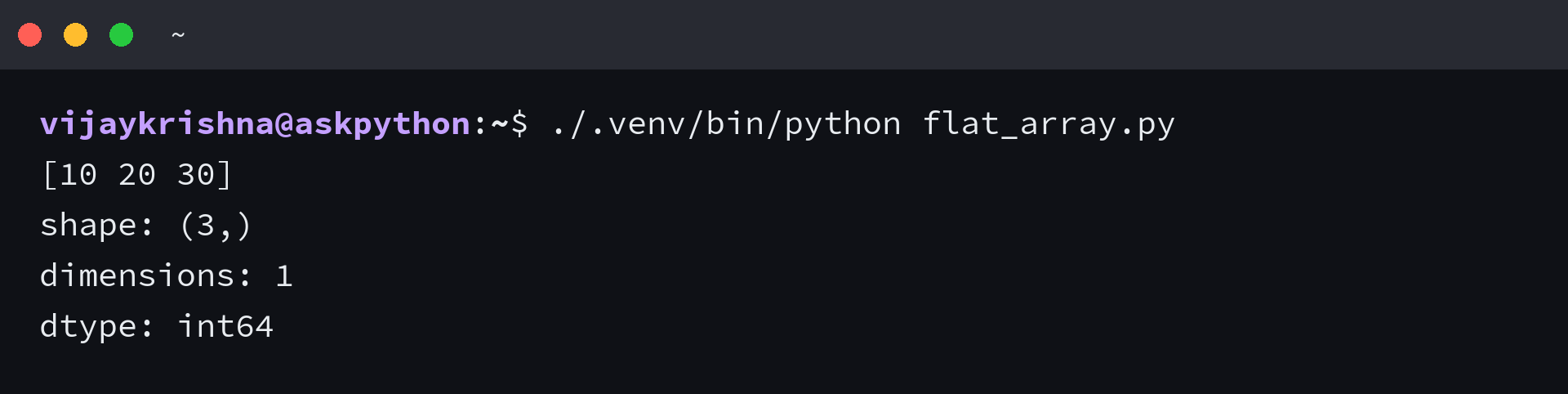
NumPy prints [10 20 30], without commas between the elements, but the array still contains separate numbers. The shape is (3,), and ndim is 1 because the flat input has one axis. NumPy inferred int64 for these Python integers in the tested environment.
The trailing comma in (3,) is Python’s notation for a tuple containing one item, not an extra dimension. To reproduce the displayed result, run the saved file from your project directory.
./.venv/bin/python flat_array.py
Passing a tuple instead of a list also creates an array from a sequence, as documented in the np.array() reference. Passing a single number creates a scalar array with shape (), so use a surrounding list when you need a length-one sequence.
Step 2: Build rows with an explicit dtype
For a rectangular array, pass nested lists whose rows have equal lengths. The example’s rows become a numeric table, and dtype=np.float32 converts the integer inputs into single-precision floating-point values during construction.
import numpy as np

rows = [[1, 2, 3], [4, 5, 6]]
grid = np.array(rows, dtype=np.float32)
print(grid)
print("shape:", grid.shape)
print("size:", grid.size)
print("dtype:", grid.dtype)
print("row 1, column 2:", grid[1, 2])
print("doubled:", (grid * 2).tolist())

mixed = np.array([1, 2.5])
print("mixed:", mixed.tolist(), mixed.dtype)
The outer list supplies two rows, and each inner list supplies three columns, giving shape (2, 3). The size attribute counts all six elements. Indexing grid[1, 2] selects the last value in the second row and prints 6.0.
| Expression | Observed result | Reason |
|---|---|---|
| grid.dtype | float32 | The constructor receives an explicit dtype |
| (grid * 2).tolist() | [[2.0, 4.0, 6.0], [8.0, 10.0, 12.0]] | Multiplication applies to each element |
| mixed.dtype | float64 | NumPy chooses a common type for the integer and decimal |
Multiplication produces a result array here, so grid keeps its original values. The .tolist() calls convert results into Python lists for a comma-separated display, without changing the arrays they came from.
Choose the dtype to match the next operation’s range and precision requirements, rather than assuming that conversion preserves every input exactly. float32 uses less precision than float64, and an integer dtype can’t retain a fractional component. NumPy’s array-creation guide documents the conversion and range boundaries.
Step 3: Control which arrays share data
np.array() copies input data by default, and np.asarray() can reuse a compatible existing ndarray. That choice changes what happens after assignment to an element, even when both arrays initially print the same values.
import numpy as np

source = np.array([10, 20, 30], dtype=np.float32)
reused = np.asarray(source, dtype=np.float32)
independent = np.array(source)
converted = np.asarray(source, dtype=np.float64)
print("reuses source:", reused is source)
print("copy shares memory:", np.shares_memory(independent, source))
print("converted shares memory:", np.shares_memory(converted, source))

reused[0] = 99
print("source:", source.tolist())
print("independent:", independent.tolist())

sequence = np.arange(6)
reshaped = sequence.reshape(2, 3)
print("shapes:", sequence.shape, reshaped.shape)
print("reshape shares memory:", np.shares_memory(sequence, reshaped))
I changed reused[0] to 99, and source printed [99.0, 20.0, 30.0]. The independent array still printed [10.0, 20.0, 30.0], because its numeric data occupies separate storage.
With the matching dtype, reused is source returns True, meaning both names refer to the same object. Requesting float64 requires conversion, so converted doesn’t share source’s numeric storage. The np.asarray() reference also documents copying when a requested layout requires it.
A view is an array object that refers to another array’s data buffer. Basic slicing returns a view, so changing a sliced element can change the original array. Call .copy() when a numeric slice must be edited independently.
Reshaping changes how dimensions organize the elements, and the new dimensions must account for the original element count. The contiguous sequence above has six values, so reshape(2, 3) succeeds and shares its data. sequence itself keeps shape (6,).
The reshape reference permits a copy when the requested arrangement can’t be represented as a view. To extend the experiment, change an element through reshaped and inspect sequence, then repeat with an explicit copy before editing.
Numeric storage independence doesn’t imply that an object array recursively copies its Python objects, as NumPy’s copy-and-view guide explains. For other ways to duplicate an array, continue with AskPython’s array-copying walkthrough.
Verify the shapes and storage choices
To reproduce the constructor checks together, save the following as numpy_array_examples.py. It prints the attributes beside their inputs and catches the expected ragged-input error so the remaining checks can finish.
import numpy as np

flat = np.array([10, 20, 30])
print("flat:", flat)
print("flat shape:", flat.shape, "dimensions:", flat.ndim, "dtype:", flat.dtype)
grid = np.array([[1, 2, 3], [4, 5, 6]], dtype=np.float32)
print("grid:", grid.tolist())
print("grid shape:", grid.shape, "size:", grid.size, "dtype:", grid.dtype)
mixed = np.array([1, 2.5])
print("mixed values:", mixed.tolist(), "dtype:", mixed.dtype)
source = np.array([10, 20, 30], dtype=np.float32)
print("asarray reuses input:", np.asarray(source, dtype=np.float32) is source)
print("array shares input memory:", np.shares_memory(np.array(source), source))
try:
    np.array([[1, 2], [3]])
except ValueError as error:
    print("ragged numeric input:", type(error).__name__)
objects = np.array([[1, 2], [3]], dtype=object)
print("object-array shape:", objects.shape)
print("object-array row types:", type(objects[0]).__name__, type(objects[1]).__name__)
sequence = np.arange(6)
reshaped = sequence.reshape(2, 3)
print("reshape:", sequence.shape, "to", reshaped.shape)
print("reshape shares input memory:", np.shares_memory(sequence, reshaped))
The identity check asks whether np.asarray() returns the source object, and np.shares_memory() asks whether two arrays overlap in storage. Those questions are distinct, because a view can be a different object that still shares data.
./.venv/bin/python numpy_array_examples.py
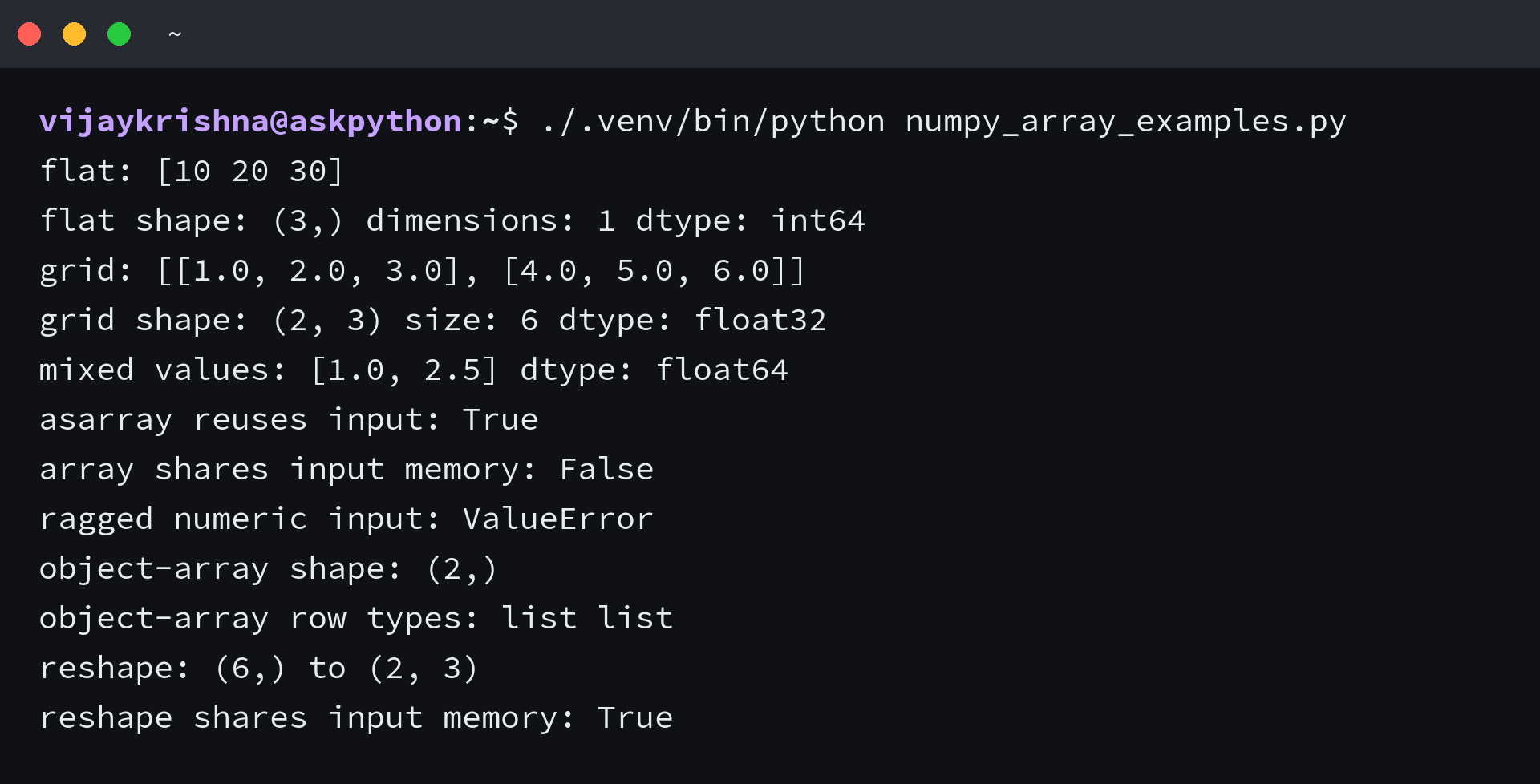
The flat integer dtype shown here is the observed result for this environment, so inspect your array’s dtype when its width matters. Explicit float32 construction doesn’t depend on guessing the default integer width.
When array construction rejects the input
Unequal row lengths can’t form the rectangular numeric table used above. Save this diagnostic as array_errors.py to compare that failure with a deliberately chosen object array and an integer that exceeds the requested dtype’s range.
import numpy as np

try:
    np.array([[1, 2], [3]])
except ValueError as error:
    print(type(error).__name__ + ":", error)

objects = np.array([[1, 2], [3]], dtype=object)
print("object shape:", objects.shape)
print("row types:", type(objects[0]).__name__, type(objects[1]).__name__)

try:
    np.array([128], dtype=np.int8)
except OverflowError as error:
    print(type(error).__name__ + ":", error)
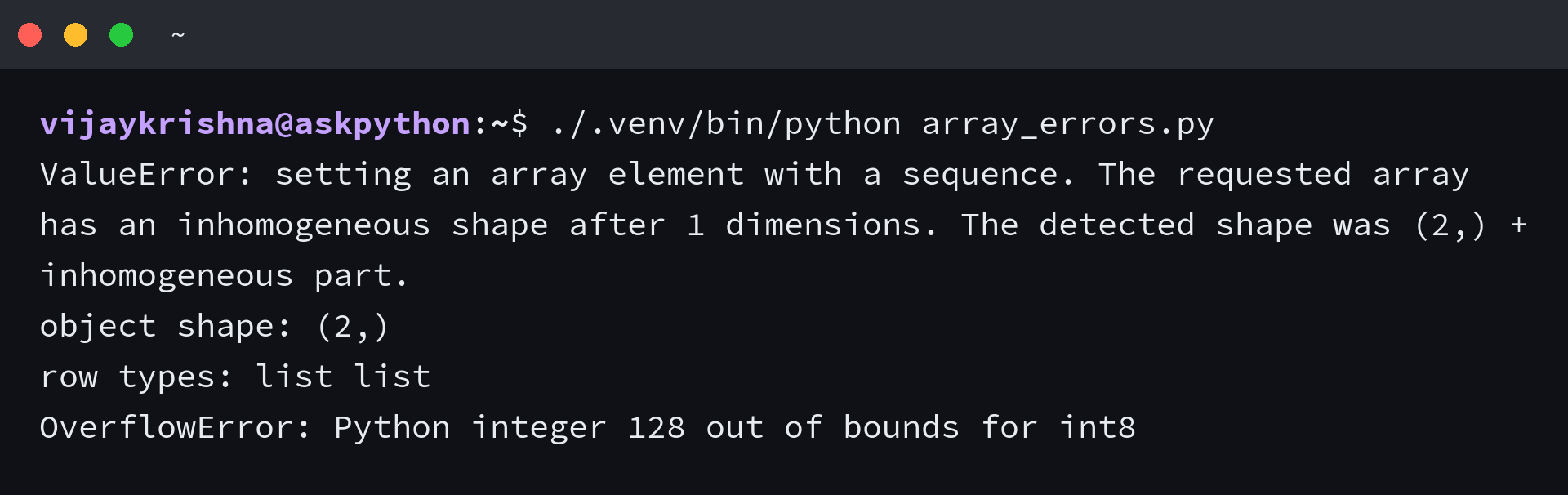
The ragged numeric input raises ValueError, with a message describing an inhomogeneous shape. For this input, dtype=object produces shape (2,), with a Python list at each position. It doesn’t produce a two-column numeric matrix.
To see the full diagnostic and the object-array result, run the saved file. The exception handlers print the errors and allow the script to continue, so a successful process exit here doesn’t mean the rejected conversions succeeded.
./.venv/bin/python array_errors.py
| Requirement | Action | Boundary |
|---|---|---|
| Numeric matrix calculations | Make all rows the same length | Choose any padding value according to its meaning in the calculation |
| Rows that grow separately | Keep a Python list of lists | Appending to a list doesn’t require rebuilding a numeric array |
| Array of Python objects | Select dtype=object deliberately | Nested structure still affects shape inference |
| Integer 128 | Choose an integer dtype with sufficient range | Signed int8 ends at 127 |
I’d keep independently growing rows as lists until a calculation needs a rectangular array, because choosing object dtype doesn’t resolve what the different row lengths mean.
The int8 example raises OverflowError because 128 is outside its representable range. Check the required range before choosing a smaller integer dtype, and distinguish a constructor’s range check from overflow during arithmetic on an existing array.
Allocate a matrix before filling its values
When the shape is known but the measurements aren’t available yet, np.zeros() creates initialized storage instead of requiring a list of placeholder rows. Run this variation to allocate a float32 matrix and replace its first row.
import numpy as np

measurements = np.zeros((2, 3), dtype=np.float32)
measurements[0] = [1, 2, 3]
print(measurements)
print(measurements.dtype)
The second row stays zero until you assign its measurements, and the array keeps dtype float32. Use a zero only when it has an appropriate meaning in the calculation, because an unfilled measurement and a measured zero can require different treatment.
NumPy array questions
Creation choices also affect how you represent missing values or combine unlike inputs. Keep those decisions explicit before passing the array to another function.
Can a NumPy array contain different data types?
A numeric ndarray has one dtype, and construction converts its values to a common representation. An object array can reference Python objects of different types, but that doesn’t give it the behavior of a dense numeric matrix.
How do I create an empty NumPy array?
Use np.array([]) for a length-zero array. np.empty() instead allocates an array of the requested shape without initializing its entries, so fill them before reading them as data.
Are NumPy arrays mutable?
A writable NumPy array lets you assign new values to its elements. If another array shares its data, edits through either array can affect the shared values.