Contributor Stats Banner
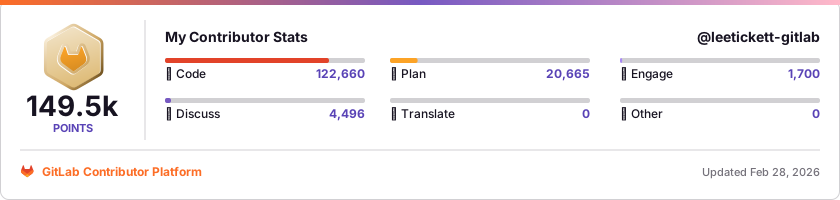
Add a dynamic stats banner to your GitLab profile README, personal website, or anywhere else you can embed an SVG. See the below example:
How to use
Add the following line to your README or any markdown file, replacing USERNAME with your GitLab username:
[](https://contributors.gitlab.com/users/USERNAME)
For example, if your GitLab username is awesome-tanuki, you would use:
[](https://contributors.gitlab.com/users/awesome-tanuki)
If you haven’t set up a profile README yet, follow these docs to learn how to add a README to your GitLab profile.
How it works
The banner dynamically displays your contributor stats from the GitLab Contributor Platform. Your stats update automatically each time the banner is loaded.
Contributor levels
The banner displays your current contributor level, which corresponds to your level on the Contributor Platform.
Learn more about how levels and points are calculated on the Contributor Platform.
Who can use this
- Community members: Your banner will display your contributor level and stats based on your activity on the Contributor Platform.
- GitLab team members: You can also use the banner! Your banner will display your stats and indicate that you’re a team member rather than show a level.
2d997077)
