
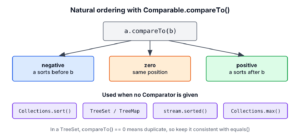
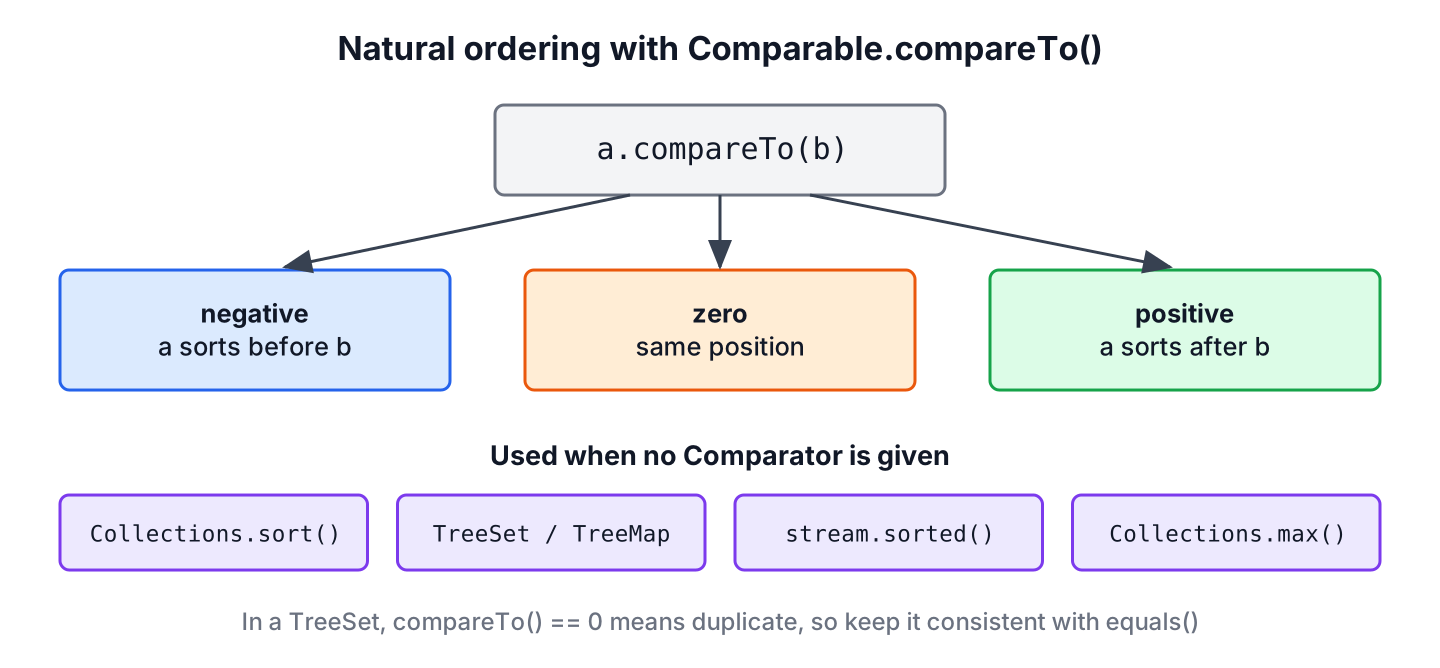
The Comparable interface in Java gives a class its natural ordering, which is the default order that Java uses when it sorts objects of that class. A class implements Comparable<T> and its single method compareTo(), which returns a negative number, zero or a positive number when the current object comes before, at the same position as, or after the other object.
We use Comparable whenever a type has one obvious order, such as numbers, dates, names or release versions, so that Collections.sort(), TreeSet, TreeMap and Stream.sorted() work on it without any extra code.
The following example uses the natural ordering that String and Integer already define.
int byName = "apple".compareTo("banana");          // -1
int byValue = Integer.valueOf(7).compareTo(3);      // 1
List<String> fruits = new ArrayList<>(List.of("cherry", "apple", "banana"));
Collections.sort(fruits);
List<String> sorted = fruits;                       // [apple, banana, cherry]
TreeSet<Integer> scores = new TreeSet<>(List.of(42, 7, 19));
Integer lowest = scores.first();                    // 7
Notice that neither Collections.sort() nor TreeSet receives any sorting rule, because both call compareTo() on the elements. We go on to implement compareTo() in our own record, cover the rules it must follow (including two common bugs), list the APIs that rely on natural ordering, and compare Comparable with Comparator.
1. What Comparable Defines
The interface java.lang.Comparable has one abstract method, int compareTo(T other). Only the sign of the result matters. A negative result means this sorts before other, zero means both have the same position, and a positive result means this sorts after other.
Most value types in the JDK already implement Comparable, so a list of them sorts without extra code. Their natural orders are the ones we expect.
| Type | Natural order | Example |
|---|---|---|
| Integer, Long, Double | Numeric, ascending | 2, 5, 10 |
| String | Lexicographic by UTF-16 char value, so uppercase sorts before lowercase | “Zoe”, “adam” |
| LocalDate, Instant | Chronological | 2025-01-01, 2026-03-15 |
| BigDecimal | Numeric value, scale ignored | 1.0 equals 1.00 in order |
| Any enum | Declaration order (ordinal) | MONDAY, TUESDAY |
The String order is the one that surprises people, because “Zoe” sorts before “adam”. The String compareTo() method compares char values, and a case-insensitive order needs a Comparator such as String.CASE_INSENSITIVE_ORDER.
2. Implementing compareTo() in a Record
A release dashboard lists app versions such as 1.9.2, 1.10.0 and 2.0.0. When the versions are stored as strings, the list sorts character by character, and “1.10.0” ends up before “1.9.2” because the character ‘1’ is smaller than ‘9’.
List<String> tags = new ArrayList<>(List.of("2.0.0", "1.9.2", "1.10.0"));
Collections.sort(tags);
List<String> asText = tags;                         // [1.10.0, 1.9.2, 2.0.0]
The fix is a type with its own natural ordering. The following example is a record with three numeric parts. Its compareTo() compares the major part first. When the major parts are equal, it compares the minor part, and the patch part decides last.
record Version(int major, int minor, int patch) implements Comparable<Version> {

    @Override
    public int compareTo(Version other) {
        int result = Integer.compare(major, other.major);
        if (result == 0) {
            result = Integer.compare(minor, other.minor);
        }
        if (result == 0) {
            result = Integer.compare(patch, other.patch);
        }
        return result;
    }

    @Override
    public String toString() {
        return major + "." + minor + "." + patch;
    }
}
List<Version> releases = new ArrayList<>(List.of(new Version(2, 0, 0), new Version(1, 9, 2), new Version(1, 10, 0)));
Collections.sort(releases);
List<Version> ordered = releases; // [1.9.2, 1.10.0, 2.0.0]
int newer = new Version(1, 10, 0).compareTo(new Version(1, 9, 2)); // 1We can see that 1.10.0 sorts after 1.9.2 this time. The method uses Integer.compare() for each part, which is the safe way to compare two int values, as we will see in section 3.
Since Java 8, we can also build the same order from Comparator helpers and keep it in a constant. The record delegates to the comparator, which is shorter when a class has many fields.
record Release(int major, int minor, int patch) implements Comparable<Release> {

    private static final Comparator<Release> ORDER = Comparator
            .comparingInt(Release::major)
            .thenComparingInt(Release::minor)
            .thenComparingInt(Release::patch);

    @Override
    public int compareTo(Release other) {
        return ORDER.compare(this, other);
    }
}
int cmp = new Release(3, 1, 0).compareTo(new Release(3, 0, 9)); // 1
int same = new Release(3, 1, 0).compareTo(new Release(3, 1, 0)); // 0Both versions give the same result. The hand-written one avoids creating a comparator chain, and the comparator version is easier to read and to extend with a new field.
3. Rules Every compareTo() Must Follow
Sorting algorithms and sorted collections assume that compareTo() behaves like a mathematical order. Breaking one of the contract rules leads to wrong sort results, lost elements in a TreeSet, or an IllegalArgumentException with the message “Comparison method violates its general contract!” from the sort.
| Rule | Meaning for a.compareTo(b) |
|---|---|
| Sign symmetry | a.compareTo(b) and b.compareTo(a) have opposite signs, or both are zero |
| Transitivity | a > b and b > c together imply a > c |
| Consistent zero | When a.compareTo(b) == 0, a and b compare the same way against every other c |
| Null argument | a.compareTo(null) throws NullPointerException |
| Consistency with equals (strongly recommended) | a.compareTo(b) == 0 if and only if a.equals(b) is true |
Callers must check only the sign. A test such as if (a.compareTo(b) == -1) breaks as soon as an implementation returns -5, which String.compareTo() does for “a”.compareTo(“f”).
3.1. Why Subtraction Breaks compareTo()
Old tutorials write return this.value – other.value; because it returns the right sign for small numbers. For large values of opposite sign, the subtraction overflows the int range and the sign flips.
int min = Integer.MIN_VALUE;
int bySubtraction = min - 1;                        // 2147483647
int byCompare = Integer.compare(min, 1);            // -1
Always compare numbers with Integer.compare(), Long.compare() or Double.compare(), never with subtraction. The subtraction result above claims that Integer.MIN_VALUE is greater than 1, so a list that contains such values sorts in the wrong order.
3.2. Keeping compareTo() Consistent With equals()
Hash-based collections use equals(), whereas TreeSet and TreeMap use only compareTo(). When the two methods disagree, the same elements give different results in the two kinds of collection. The JDK has one well-known case, BigDecimal, where equals() compares the scale and compareTo() ignores it.
BigDecimal price = new BigDecimal("1.0");
BigDecimal samePrice = new BigDecimal("1.00");
boolean equal = price.equals(samePrice);            // false
int order = price.compareTo(samePrice);             // 0
int hashSize = new HashSet<>(List.of(price, samePrice)).size();   // 2
int treeSize = new TreeSet<>(List.of(price, samePrice)).size();   // 1
The TreeSet treats the second value as a duplicate and drops it. Our own classes get the same problem when compareTo() looks at fewer fields than equals(). For example, a Version that compared only the major and minor parts would make a TreeSet keep 1.9.2 and drop 1.9.3. Records compare all components in equals(), so a compareTo() that also uses every component stays consistent.
3.3. Null Values and Classes Without a Natural Order
A compareTo() call with a null argument throws NullPointerException, and a sorted collection throws ClassCastException when its elements do not implement Comparable.
record Tag(String name) {}int withNull = "apple".compareTo(null); // NullPointerException
TreeSet<Tag> labels = new TreeSet<>();
boolean added = labels.add(new Tag("java")); // ClassCastExceptionWhen a list may contain null, we sort it with Comparator.nullsFirst(Comparator.naturalOrder()) instead of the plain natural order. When a class has no natural order, or we cannot change its source, we pass a Comparator to the TreeSet constructor.
4. Where Java Uses Natural Ordering
Every API in the JDK that sorts or orders elements without a Comparator argument falls back to compareTo(). Once Version implements Comparable, all of them work on it.
| API | What it does with compareTo() |
|---|---|
| Collections.sort(list), list.sort(null) | Sorts the list in place, stable |
| Arrays.sort(array) | Sorts an object array in place |
| TreeSet, TreeMap | Keeps elements or keys sorted, and treats compareTo() == 0 as a duplicate |
| stream.sorted() | Returns a sorted stream, the source stays unchanged |
| Collections.min(), Collections.max() | Finds the smallest or largest element |
| PriorityQueue | Polls the smallest element first |
| Comparator.naturalOrder(), Comparator.reverseOrder() | Turns the natural order into a Comparator, ascending or descending |
List<Version> releases = List.of(new Version(2, 0, 0), new Version(1, 9, 2), new Version(1, 10, 0));
List<Version> ascending = releases.stream().sorted().toList();        // [1.9.2, 1.10.0, 2.0.0]
List<Version> descending = releases.stream().sorted(Comparator.reverseOrder()).toList();   // [2.0.0, 1.10.0, 1.9.2]
Version latest = Collections.max(releases);                           // 2.0.0
TreeMap<Version, String> notes = new TreeMap<>(Map.of(new Version(1, 10, 0), "dark mode", new Version(1, 9, 2), "bug fixes"));
Version firstKey = notes.firstKey();                                  // 1.9.2
Notice that List.of() returns an unmodifiable list, so we sort it through a stream instead of Collections.sort(). The sequenced collections method reversed() from Java 21 is a different operation, because it reverses the current element order of a list and does not sort anything.
5. Comparable vs Comparator
A class can have only one natural ordering, but an app often needs several orders for the same type. The release dashboard sorts versions by number on one screen and by patch level on another. The second order belongs in a Comparator, which is a separate object passed to the sort method.
| Comparable | Comparator | |
|---|---|---|
| Package | java.lang | java.util |
| Method | compareTo(T other) | compare(T a, T b) |
| Where the logic is | Inside the class being sorted | In a separate object or lambda |
| Number of orders | One, the natural order | Any number |
| Needs access to the source code | Yes | No |
| Typical use | Value types such as money, versions, dates | Screen-specific or user-selected sort orders |
List<Version> releases = new ArrayList<>(List.of(new Version(2, 0, 3), new Version(1, 9, 2), new Version(1, 10, 0)));
releases.sort(Comparator.comparingInt(Version::patch));
List<Version> byPatch = releases;                   // [1.10.0, 1.9.2, 2.0.3]
A good rule is to implement Comparable only when one order is the obvious answer for everyone who uses the class, and to use comparators for everything else. Both interfaces can sort the same data, as the Comparable and Comparator sorting examples show, and the sorted collections of the Java Collections Framework depend on them.
6. Comparable Interface FAQs
Developers who write their first compareTo() mostly ask about lambdas, records and enums, return values and descending order.
6.1. Is Comparable a Functional Interface?
Technically yes, because it has a single abstract method, so the compiler accepts a lambda for it. It is not annotated with @FunctionalInterface, though, and a lambda Comparable makes little sense because natural ordering belongs inside the class. For a standalone order, we write a Comparator lambda instead.
6.2. Can a Record or an Enum Implement Comparable?
A record can implement Comparable like any class, as the Version record in section 2 shows. Every enum already implements Comparable, and its compareTo() is final and compares the declaration order.
DayOfWeek monday = DayOfWeek.MONDAY;
int dayOrder = monday.compareTo(DayOfWeek.FRIDAY);  // -4
6.3. Does compareTo() Have to Return -1, 0 or 1?
No. Any negative or positive number is valid, and callers must check only the sign with < 0, == 0 or > 0.
6.4. How Do We Sort Comparable Objects in Descending Order?
We pass Comparator.reverseOrder() to the sort method, for example list.sort(Comparator.reverseOrder()). The natural order inside the class stays ascending, and only that one sort call is reversed.
6.5. What Happens if Two Objects Compare as Equal?
A stable sort such as List.sort() keeps their original relative order. A TreeSet keeps only the first one, and a TreeMap keeps the first key but replaces its value with the second one, which is why section 3.2 matters.
7. Conclusion
The Comparable interface defines the natural ordering of a class through one method, compareTo(), and the sign of its result decides the order. Sorting methods, sorted collections, stream.sorted() and Collections.max() all use it when no comparator is given.
A correct implementation compares numbers with Integer.compare() rather than subtraction, throws NullPointerException for null, and stays consistent with equals() so that TreeSet does not drop elements. When a type needs more than one order, the natural order stays in compareTo() and the others go into comparators.
8. References
- Comparable (Java SE 25 API)
- Comparator (Java SE 25 API)
- BigDecimal.compareTo() (Java SE 25 API)
- List.sort() (Java SE 25 API)
Happy Learning !!

ı still do not understand why we have to implement comparable interface when ı want to define compareTo method can someone explain this thank you.
You need to use the method collections.sort() to sort the objects in your list and to do so you need to define the compareTo() method which will be used in the sorting process.
Another point is that collections.sort() method is only available in classes that implement the Comparable interface.
I hope this was useful.