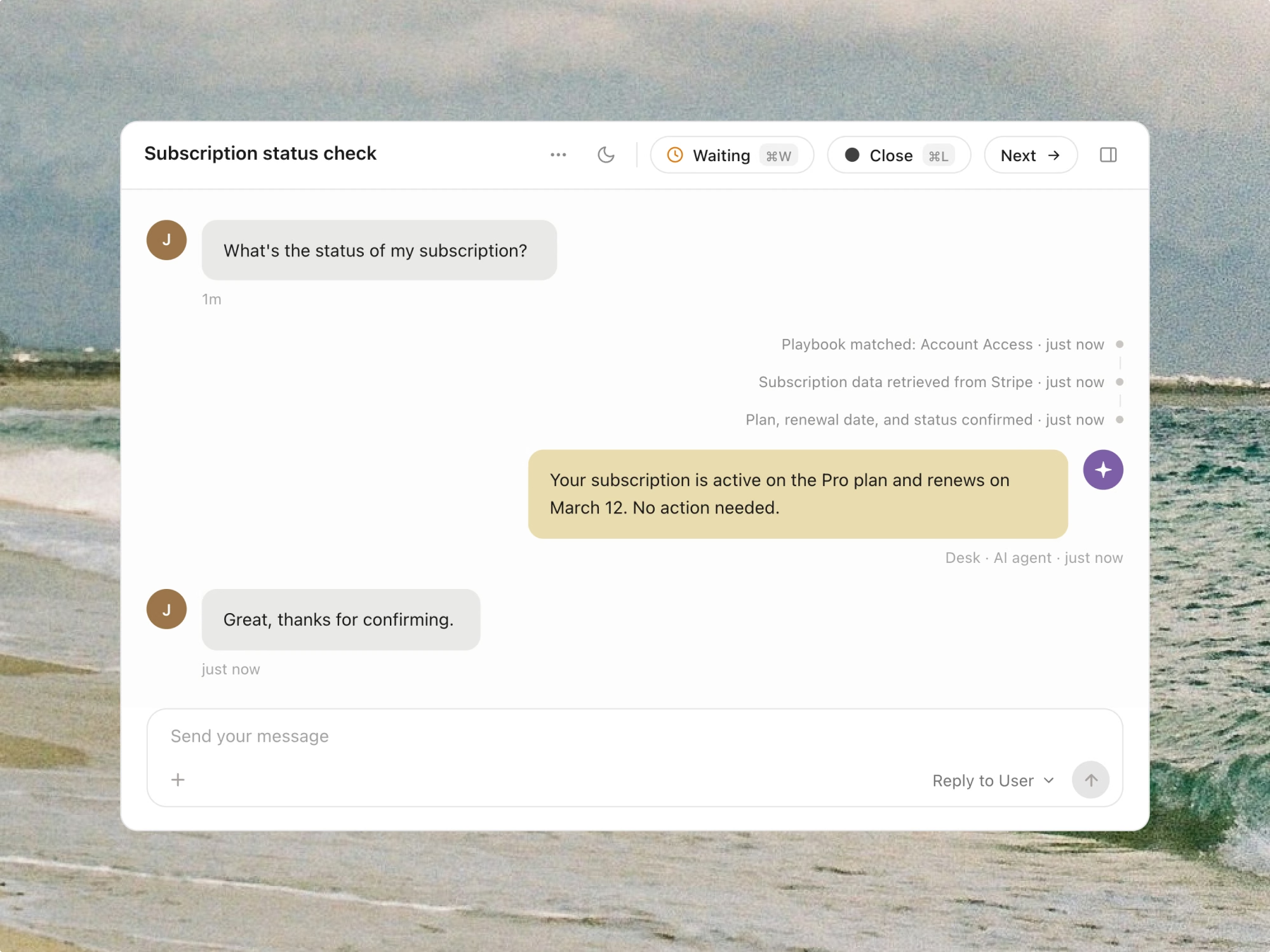
Botpress connects to your systems and takes real action inside the conversation — issuing refunds, checking account status, updating records — under the same rules your team already follows.

Most support AI reads your knowledge base and stops there. Anything requiring a real system change still lands on an agent's desk. Botpress closes that gap.
Botpress checks order date, refund policy, and customer history against the same rules your agents follow — then issues the refund directly, no manual approval step for straightforward cases.
Instead of telling a customer to "check their email" or "give us a moment," Botpress pulls the current state — order status, subscription tier, account health — and answers with it directly.
When a customer needs something changed — an address, a plan, a contact detail — Botpress validates the request and updates it directly in your CRM or billing system.
Most support AI reads your knowledge base and stops there. Anything requiring a real system change still lands on an agent's desk. Botpress closes that gap.
Botpress also handles ticket deflection, ticket management, ticket enrichment, and escalation workflows — all on the same platform, on your existing helpdesk.
Authenticate your billing, CRM, or order management platform. Botpress reads the data it needs to check conditions and take action.
Describe the conditions for each action — refund windows, eligibility rules, approval thresholds — in plain language. No workflow builder required.
Actions activate immediately for qualifying requests. Track what's been actioned, what's been escalated, and why from the analytics dashboard.
Authenticate your helpdesk, CRM, and any product or logging tools you want context pulled from.
You define the conditions — order date, return window, refund history, whatever your team already checks. Botpress verifies those conditions before acting. Anything that doesn't clearly qualify gets escalated instead of guessed at.
Botpress connects to billing platforms, CRMs, and order management systems via API or existing integrations. If a system isn't yet supported, it can usually be connected through Botpress Studio or Botpress ADK.
Yes. You control the conditions and thresholds for every action type. Straightforward cases that meet your defined conditions execute automatically; anything ambiguous or high-value can be configured to require agent approval first.
API access alone doesn't know your rules. Botpress checks your actual policy conditions before acting — the same logic an agent would apply — so it takes the same action a trained team member would, not just whatever the API allows.
Botpress validates inputs before executing and confirms the result of the action in the conversation. If a system call fails, the customer isn't left with an unconfirmed action — it either completes and confirms, or escalates with the failure noted.