
A modern (Open)Subsonic music streaming app for Android.




- Modern: actually decent UI (unlike a lot of players) with Material 3 Expressive design
- Highly customisable: almost everything is a setting!
- Works everywhere: access library offline & scrobble offline
- Powerful playback: equaliser, ReplayGain*, transcoding* & more
- Lyrics support: multiple lyric providers & word-by-word lyrics*
- Radio stations: stream & add internet radio stations
- Home widgets: a couple of home screen widgets are inbuilt
- Share music: share links to music to your friends
- Android Auto: control music playback through Android Auto
- Pretty lightweight: Navic is fast and small (~10MB)
- Compatible: supports older devices and most Subsonic servers (LMS, gonic, Navidrome, etc.)
*may need an OpenSubsonic-compatible server to work fully
| Library | Player | Lyrics | Albums |
|---|---|---|---|
 |
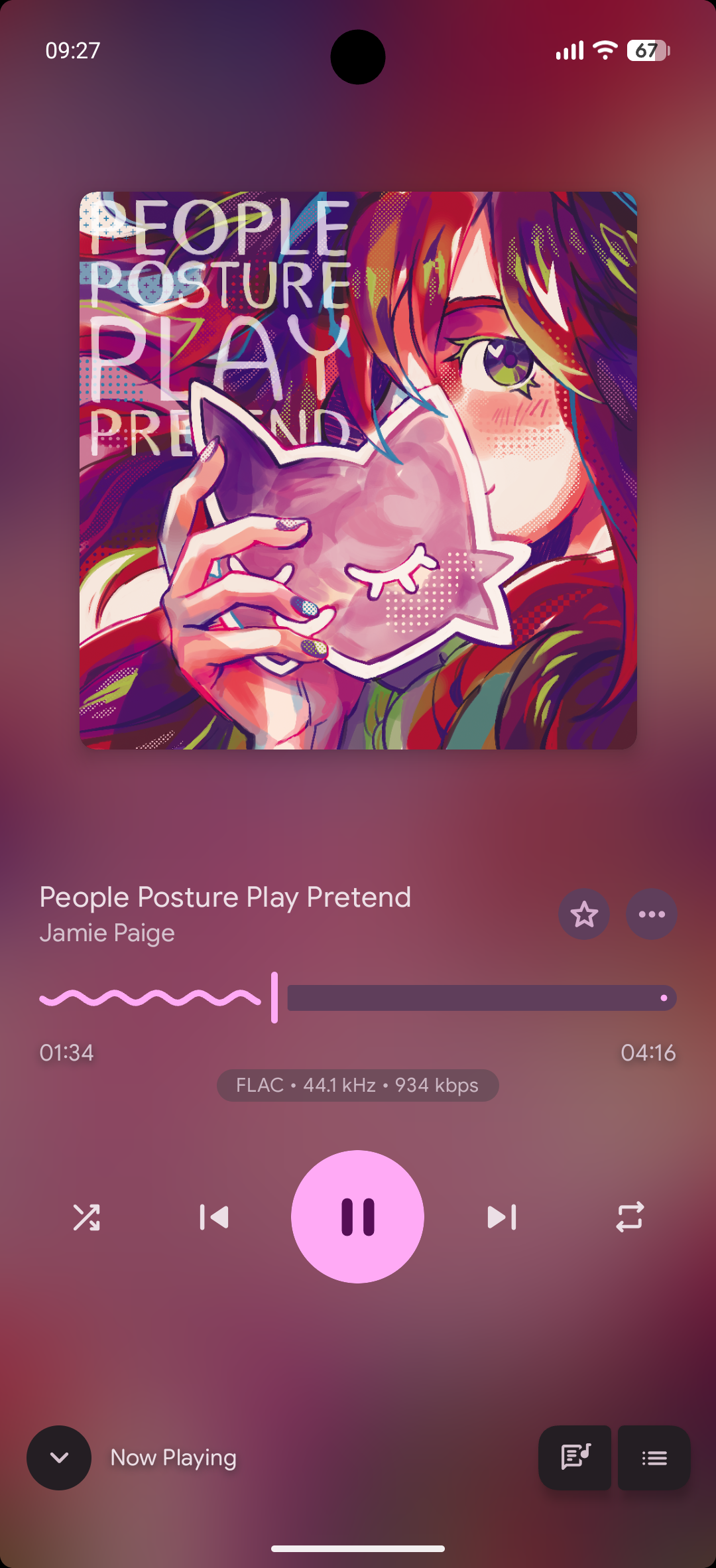 |
 |
 |
-
Install Navic through one of the many supported methods.
Play Protect may falsely flag Navic, see this post.
-
After opening Navic, log into a supported (Open)Subsonic music server.
If you don't already have one, there are countless guides online for setting one up. Some servers that support (Open)Subsonic are LMS, gonic, Navidrome, and of course, Subsonic itself.
You can help translate Navic by contributing on Weblate.
