A complete toolkit for analyzing rodent exploratory behavior in object recognition tasks.
RAINSTORM is a comprehensive Python toolkit for analyzing rodent exploratory behavior 🐭. Transform pose-estimation data (e.g., from DeepLabCut or SLEAP) into meaningful behavioral insights through an intuitive workflow that spans from manual annotation to AI-powered automation.
- 🎯 Frame-by-Frame Behavioral Labeling: A versatile tool for precise manual annotation, it generates training data for your AI models.
- 🔧 Pre & Post-DLC Data Processing: Align video points, clean tracking glitches, and interpolate data for smooth and reliable analysis.
- 📐 Geometric Analysis: Automatically identify object exploration using distance and angle metrics.
- 🧊 Immobility Detection: Label freezing behavior based on motion, a key indicator in memory studies.
- ⚙️ AI-Powered Automatic Labeling: Train and deploy neural networks (including LSTMs) to automatically detect complex exploration patterns.
- 📊 Visual Label Comparison: Easily compare manual, geometric, and AI-generated labels with intuitive visualizations.
First, ensure you have the following software installed on your system.
- Miniconda (or Anaconda)
- Visual Studio Code
- Git
Tip
First Time Setup: During Miniconda installation, select "Add Conda to PATH" for easier terminal access. Restart your computer after installation to ensure all components are properly configured.
-
Clone the Repository
Open a terminal (or Miniconda Prompt) and run the following command.
git clone https://github.com/sdhers/rainstorm.git
This will create a
rainstormfolder in your current directory. -
Set Up the Conda Environment
Navigate into the cloned directory and create the dedicated environment from the provided file:
cd rainstorm
conda env create -f rainstorm_venv.yml
Once the environment is ready, you can activate it by running
conda activate rainstorm. -
Launch VS Code & Select Kernel
Launch VS Code from the terminal:
code .In VS Code, ensure the Python extension is installed:
- Go to the Extensions view (
Ctrl+Shift+XorCmd+Shift+Xon macOS). - Search for "Python" and install the official extension from Microsoft.
Open a Jupyter notebook (e.g.,
2a-Prepare_positions.ipynb).- When prompted to select a kernel, choose the
rainstormConda environment from the list ofPython Environments.
- Go to the Extensions view (
You are all set! You can now run the notebooks to explore the RAINSTORM workflow.
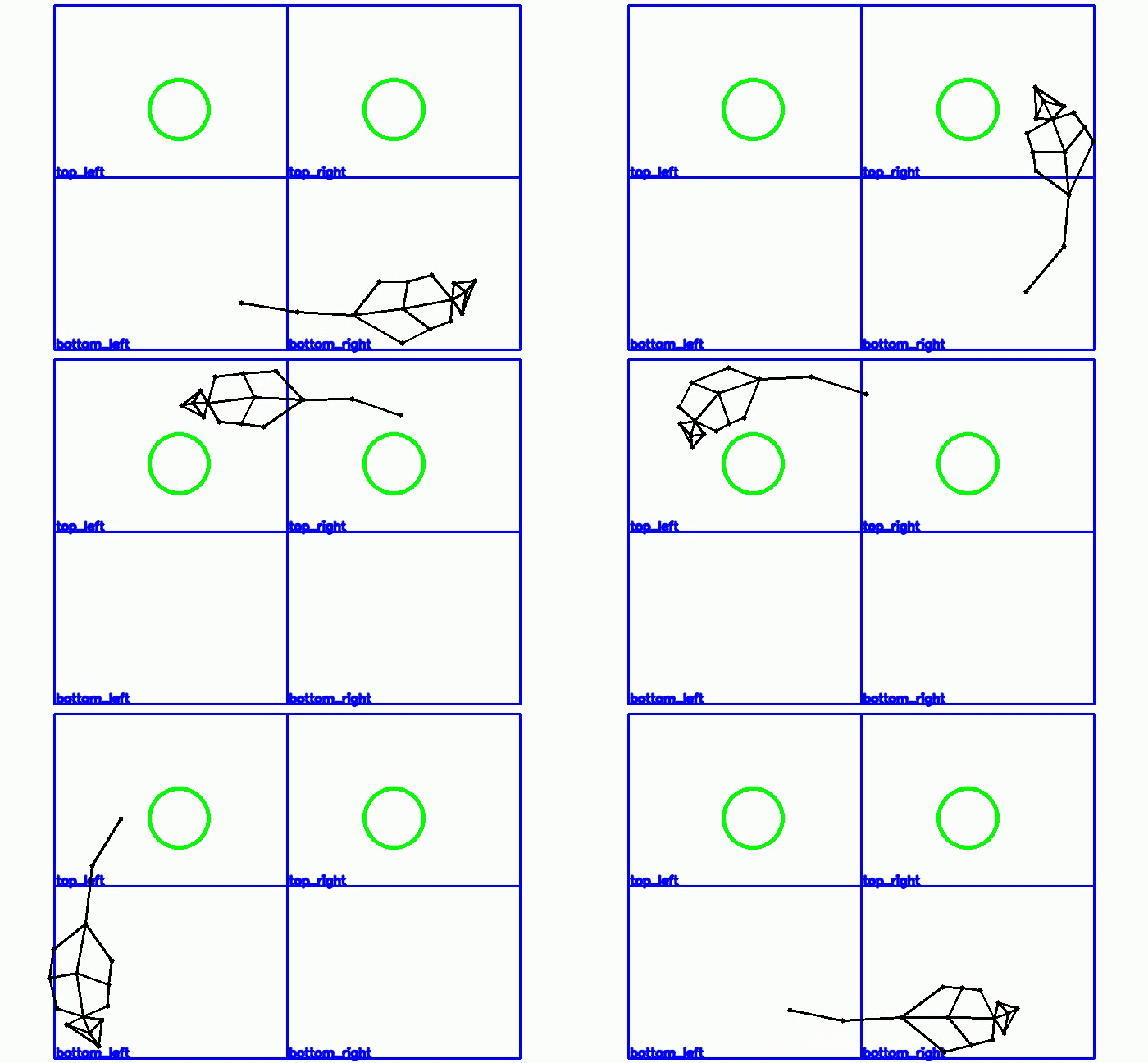
RAINSTORM provides a comprehensive workflow through 7 interactive Jupyter notebooks, plus standalone GUI tools for video processing and behavioral labeling.
Transform your data from raw videos to publication-ready results through our intuitive 7-step workflow:
| Step | Notebook | Purpose | Output |
|---|---|---|---|
| 0 | 0-Video_handling.ipynb |
🎥 Prepare videos | Trimmed, cropped, aligned videos |
| 1 | 1-Behavioral_labeler.ipynb |
✍️ Manual annotation | Frame-by-frame behavioral labels |
| 2a | 2a-Prepare_positions.ipynb |
🧹 Clean tracking data | Filtered, smoothed position files |
| 2b | 2b-Geometric_analysis.ipynb |
📐 Geometric detection | Rule-based behavioral labels |
| 3a | 3a-Create_models.ipynb |
🤖 Train AI models | Custom neural networks |
| 3b | 3b-Automatic_analysis.ipynb |
🧠 AI-powered labeling | Automated behavioral detection |
| 4 | 4-Seize_labels.ipynb |
📊 Results & visualization | Personalized plots & analyses |
We offer a quick and easy way to prepare videos for pose estimation and behavioral analysis.
Open the file 0-Video_handling.ipynb
- Run the Video Handling app
This app allows you to:
- Trim the video to the desired length.
- Crop the video to the desired size.
- Align videos based on two manually selected points (very useful when batch processing videos with ROIs).
- Run the Draw ROIs app
This app allows you to:
- Draw ROIs and points on the video.
- Select a distance for scaling.
Tip
Running DLC on Colab: Use our DeepLabCut pretrained model on Google Colab to process your aligned videos:
- Copy this Google Drive Folder in your own Google Drive.
- Add your own data to the "videos" folder.
- Open the Colab file and follow the instructions to run the model on your data.
For precise, frame-by-frame annotation, use the RAINSTORM Behavioral Labeler.
Open and run the file 1-Behavioral_labeler.ipynb
-
Select the video you want to label.
-
(Optional) Load a previous labeling
.csvfile.- This allows you to pick up where you left off.
-
Select the behaviors to label and their keys.
- Enter the behaviors you want to score (e.g.,
exp_1,exp_2,freezing,grooming, etc...).
- Enter the behaviors you want to score (e.g.,
Warning
Keys should be unique, single characters, and different from the fixed control keys: (Quit: q, Zoom In: +, Zoom Out: -, Timeline toogle: t)
- Start Labeling! After pressing 'Start Labeling', the video will load, and you can begin annotating frame by frame using the keys you defined.
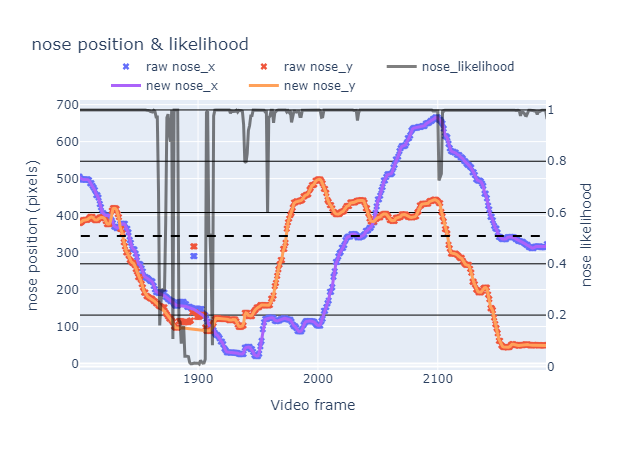
🧹 Process and clean bodypart position data.
- Filters out frames with low tracking likelihood from DeepLabCut.
- Interpolates and smooths data to correct glitches.
- Output: Clean
.csvfiles ready for analysis.
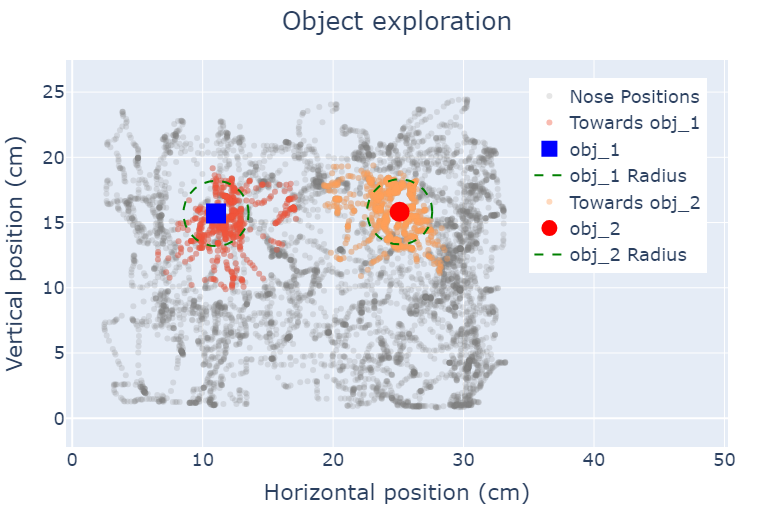
📐 Perform geometric labeling of exploration and freezing.
- Applies a simple geometric rule for exploration:
- Distance to object <
2.5 cm - Angle towards object <
45°
- Distance to object <
- Identifies freezing behavior based on lack of movement.
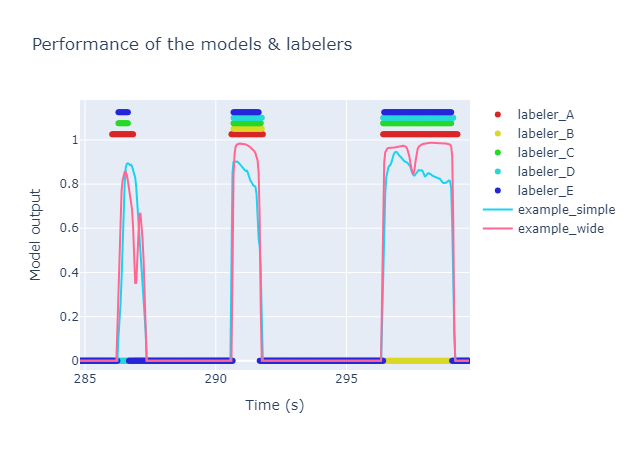
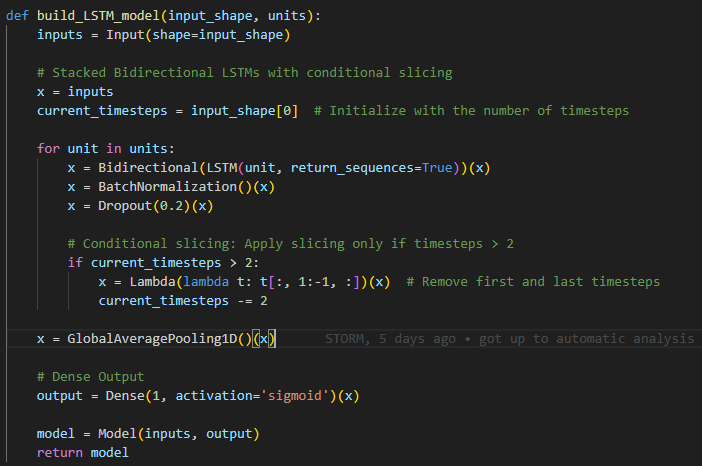
⚙️ Train AI models for automatic behavioral labeling.
- Uses your manually labeled data to train TensorFlow models.
- Includes an LSTM network (a wide model) that considers temporal sequences for higher accuracy.
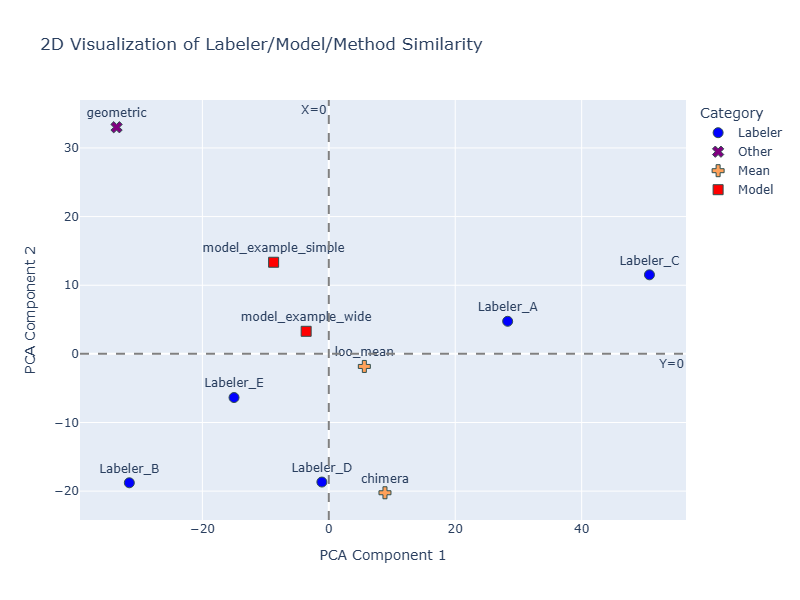
- Evaluates model performance against human labelers using Principal Components Analysis (PCA).
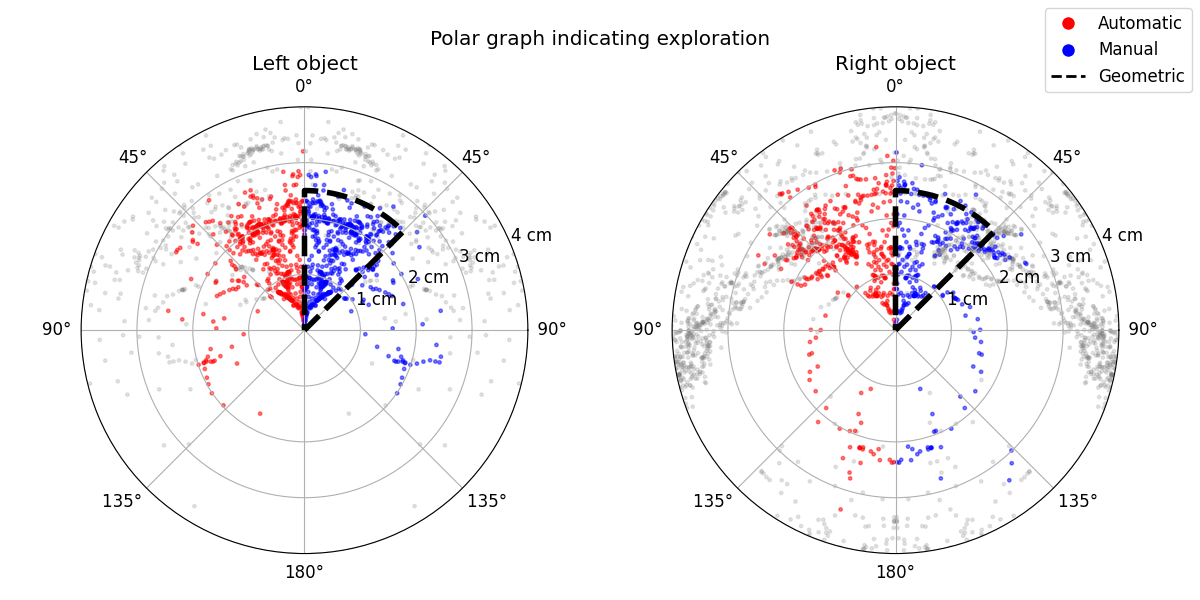
🧠 Automate labeling with your trained AI model.
- Applies your best-performing model to label unseen datasets.
- Generates comparative visualizations (like polar graphs) to contrast manual, geometric, and AI-driven labels.
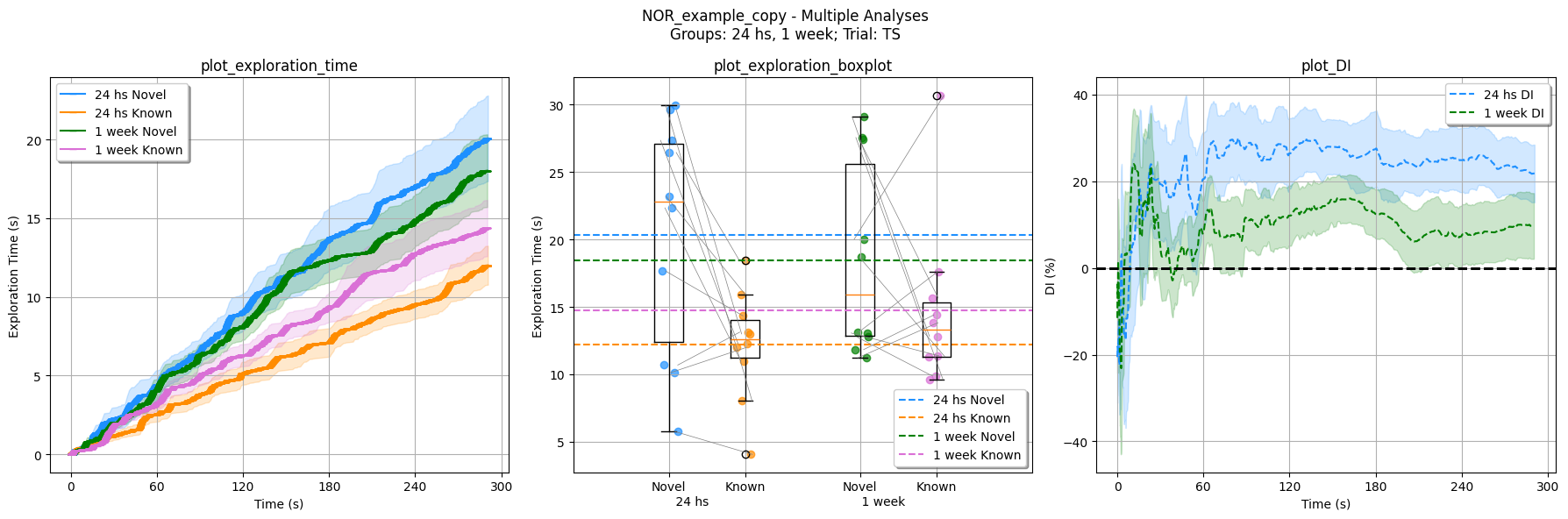
📊 Extract, summarize, and visualize your final data.
- Calculates key metrics like Discrimination Index.
- Generates publication-ready plots to compare behavior across different experimental groups and sessions.
If you use RAINSTORM in your research, please cite our work:
Read the paper! 📜 -> D'hers, S., et al. (2025). RAINSTORM: Automated Analysis of Mouse Exploratory Behavior using Artificial Neural Networks. Current Protocols. https://doi.org/10.1002/cpz1.70171
All video recordings were obtained within the Molecular Neurobiology Lab at IFIBYNE (UBA - CONICET).
We welcome contributions from the community! Here's how you can help:
- Found a bug? Open an issue
- Include your Python version, OS, and a minimal example
- Have an idea? Start a discussion
- Describe your use case and proposed solution
- Fork the repository and create a feature branch
- Follow our coding standards and add tests
- Submit a pull request with a clear description
- Fix typos, clarify instructions, add examples
- Documentation improvements are always appreciated!
For research collaborations and academic inquiries:
- Email: sdhers@fbmc.fcen.uba.ar
- Institution: Facultad de Ciencias Exactas y Naturales, Universidad de Buenos Aires
- ⭐ Star this repository to stay notified of updates
- 👀 Watch for new releases and features
- 🐦 Follow development progress and announcements
Thanks for exploring RAINSTORM!