Repository navigation
Issue with DPI corrections with Qt5 backend #8052
Description

I am running into issues with Matplotlib 2.0 with the Qt5 backend. The following script:
import matplotlib
matplotlib.use('Qt5Agg')
import matplotlib.pyplot as plt

fig = plt.figure()
ax = fig.add_axes([0, 0, 1, 1])

print(ax.transData.transform((0.0, 0.0)))
print(ax.transData.transform((0.5, 0.5)))
print(ax.transData.transform((1.0, 1.0)))
print(fig.canvas.width(), fig.canvas.height())
returns
[ 0.  0.]
[ 640.  480.]
[ 1280.   960.]
320 240
with Qt5, and:
[ 0. 0.]
[ 320. 240.]
[ 640. 480.]
(640, 480)
with Qt4. In Qt5 there is a factor of 4x difference between the display coordinates and the size of the widget, where I think there should only be a factor of 2x. A more visual way to see this issue is to run:
from PyQt5 import QtGui, QtWidgets
from matplotlib.figure import Figure
from matplotlib.backends.backend_qt5agg import FigureCanvasQTAgg as FigureCanvas


class MplCanvas(FigureCanvas):

    def __init__(self, fig):
        FigureCanvas.__init__(self, fig)
        self.renderer = None
        self.x = self.y = 0

    def paintEvent(self, event):

        if self.renderer is None:
            self.renderer = self.get_renderer()

        super(MplCanvas, self).paintEvent(event)

        p = QtGui.QPainter(self)
        pen = QtGui.QPen(QtGui.QColor('black'))
        pen.setWidth(20)
        p.setPen(pen)
        p.drawPoint(self.x, self.y)

    def mouse_press(self, event):
        x, y = ax.transData.transform((event.xdata, event.ydata))
        self.x, self.y = x, self.height() - y
        self.update()


app = QtWidgets.QApplication([''])

fig = Figure()
canvas = MplCanvas(fig)
ax = fig.add_axes([0, 0, 1, 1])

print(ax.transData.transform((0.0, 0.0)))
print(ax.transData.transform((0.5, 0.5)))
print(ax.transData.transform((1.0, 1.0)))
print(canvas.width(), canvas.height())

canvas.mpl_connect('button_press_event', canvas.mouse_press)
canvas.mpl_connect('motion_notify_event', canvas.mouse_press)

canvas.show()
app.exec_()
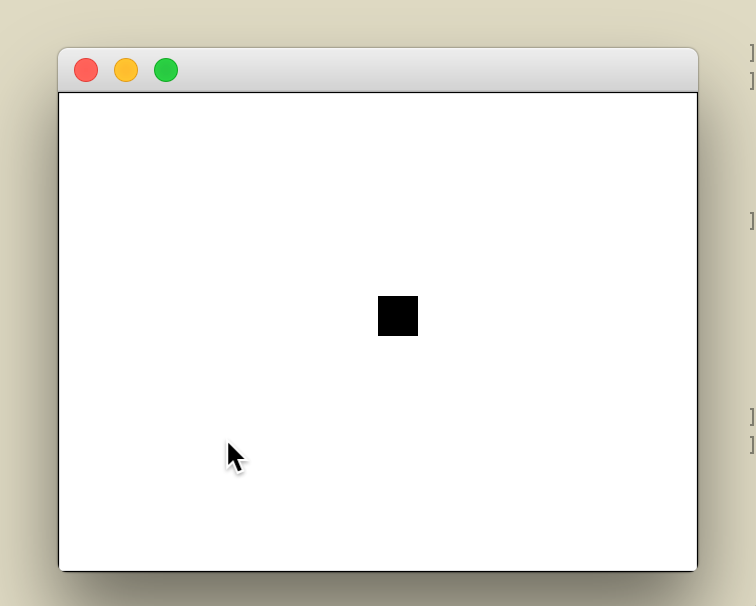
This shows a window where if you move around the cursor, a black square should follow it. With Qt5, the square is offset by a factor of 2x:
cc @tacaswell
Activity
astrofrog commentedon Feb 10, 2017
Looking into this a bit more - the difference of a factor of 4x in the first example changes to 2x after the plot is shown, which explains why the marker is off by a factor of 2 in the more complex case.
QuLogic commentedon Feb 21, 2017
Does the first example really fix itself after showing the plot? The second bug is unrelated, but easily fixed. I'm not really sure where the width/height come from in the first case.
astrofrog commentedon Feb 21, 2017
@QuLogic - the first example doesn't fix itself, because the display coordinates and canvas size are still mismatched by a factor of 2x after showing (which is basically the problem illustrated in the second example I think)
In any case, the only real issue for me is the second example, so just ignore the first example if it's confusing!
QuLogic commentedon Feb 24, 2017
The first bug seems to be related to
figure.Figure; it seems to work right withplt.figure. In fact, with the former code, the window does not become twice as big as it should, so the rendered figure is actually scaled down twice.QuLogic commentedon Feb 24, 2017
In the case of
plt.figure, the figure is run through theFigureManagerQT, which adds the toolbar, but also resizes the window to thecanvas.sizeHint, so adding:will get the sizes correct.
efiring commentedon Apr 4, 2017
I am seeing a devastating bug with qt5 on a retina display, OSX Sierra, on both master and 2.0.x: zoom/pan, zoom-to-rect, and the cursor readout are completely wrong. I can't investigate right now, but I don't think this has always been the case.
efiring commentedon Apr 5, 2017
Bisecting leads to #8144:
tacaswell commentedon Apr 7, 2017
The problem is that internally mpl lives entirely in the 'real' pixel realm, but Qt lives (except for in the qpainter when we are rendering the plot) in 'logical' pixel space. I think that the two sizes are coming back different is the correct (but super confusing) behavior.
To fix the example:
There are still a couple too many ad-hoc
self._dpi_ratioscalings in the code for me to be happy I understand what is going on, but I am pretty sure of:tacaswell commentedon Apr 7, 2017
tacaswell commentedon Apr 7, 2017
and by size I mean looking at
fig.bbox_inchestacaswell commentedon Apr 7, 2017
It is in resizeEvent
tacaswell commentedon Apr 7, 2017
xlink to #8440
4 remaining items
astrofrog commentedon May 5, 2017
@tacaswell - the fixed example you showed in #8052 (comment) does not work correctly on my MacBook Pro with retina display with the latest developer version of Matplotlib. Does it still work ok for you?
tacaswell commentedon May 9, 2017
@astrofrog The changes just got merged up to master today, they were on the 2.0.x branch.
tacaswell commentedon May 9, 2017
but it is halving the size of figure again.....
tacaswell commentedon May 9, 2017
You would think keeping track of two coordinate frames would not be so hard....
tacaswell commentedon May 9, 2017
On a bit more consideration, I think this is working again, but there is some weird order of operations going on here starting up the window (It pulls the size to use from the un-scaled DPI and then at some point triggers a resize event which in turn down-sizes the figure (via a
self.figure.set_size_inchesin theresizeEventmethod), the following works correctly (and is within a fraction of an inch 6 inches wide if I hold a ruler up to the screen!).By a code path that is not immediantly clear to me now, going through
plt.subplotsand friends triggers enough callbacks that the figures end up the right size.I have been invoking this via
on a linux box (arch + awesomeWM + a 4k display that report
from
xrandr.I also have a normal dpi monitor and moving the window back-and-forth still has issues, moving it to the other monitor seems to cut the size in half the first time (but not on future times) and does not double when moving back, but the mouse events work correctly on both screens and after moving back and forth. This does not seem to happen with figures wrapped in the
FigureManager.We need to hook up http://doc.qt.io/qt-5/qwindow.html#screenChanged and update the dpi accordingly, but I am not sure I want to hold 2.0.2 (which has a bunch of critical bug fixes) for that. This will be a pretty major bit of work as the
_orginal_dpiand_dpi_ratioattributes should probably be pushed all the way up into the base-classes, and the dpi property onFigureshould get a bit smarter (to update_original_dpiwhen required) .QuLogic commentedon May 9, 2017
IIRC, I believe it's the
FigureManagerwhere we insert the right stuff to trigger the dpi change.tacaswell commentedon Jul 25, 2017
@astrofrog Is this fully addressed by #8931
astrofrog commentedon Jul 26, 2017
@tacaswell - good question, I didn't think of them as the same bug but it might be fixed! Will check and report back.
tacaswell commentedon Aug 27, 2017
I am going to say this is taken care of, possibly super-ceded by #9062