


A DIY, open-source motion simulator built around a six-axis rotary Stewart platform: six servo-driven arms and connecting rods move a platform in surge, sway, heave, roll, pitch and yaw. The project brings together the mechanical build, custom electronics, ESP32 controller firmware and a desktop app for simulation, motion cueing and testing.
It began as a full-size racing-simulator build and has grown into a development platform of its own, including a smaller hobby-servo version. This repository shares the build history and videos as well as the code, design files and lessons learned along the way—not just the latest PCB package.
Watch the videos · Project history · Desktop app · Get started · Support the project

2026-10-27: R14 engineering hold following a JLCPCB component-clearance query. The ordered placement has confirmed J12 interference. J12 remains required; R14C1 now passes the documented internal mechanical and exported electrical checks. Complete replacement files are prepared; factory acceptance and physical tests remain pending. See the mechanical correction. The recovered R13 firmware baseline and original ordered exports are preserved. See the R14 board, schematic and status, design philosophy and firmware evidence.
Heavy rotating machinery can cause serious injury or death. Independent emergency stop hardware must be in place before powered operation; the app's E-STOP button is not a substitute for a physical safety system. Earlier working builds and signal captures do not validate the current PCB/firmware combination.

PCB PDF · Schematic PDF · Native schematic SVG · Editable EasyEDA project · Manufacturing files

The owner confirmed the R14 order on 26 October 2026. Read the design decisions, review methodology and hardware-test plan. Testing the manufactured board follows correction of the factory clearance issue; the current firmware keeps normal motion admission locked.
R14 schematic preview — full sheet and detail pages in the PDF

These are crops of the native schematic, retaining named-net stubs and source label placement. Use the linked vector PDF/SVG to inspect the complete sheet.
Watch the original platform demonstrations and controller build videos below. Click a thumbnail to open YouTube. These document earlier builds, not an assembled or tested r13 board.
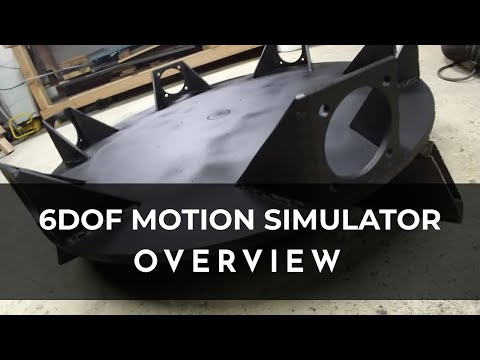
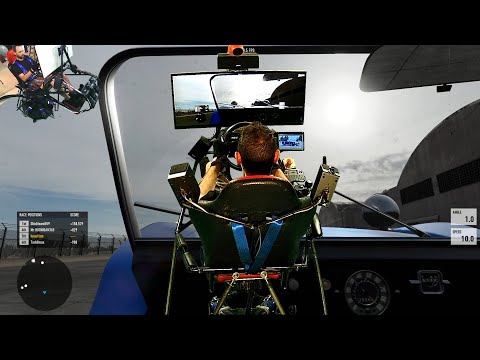
Platform demo 1 · Platform demo 2
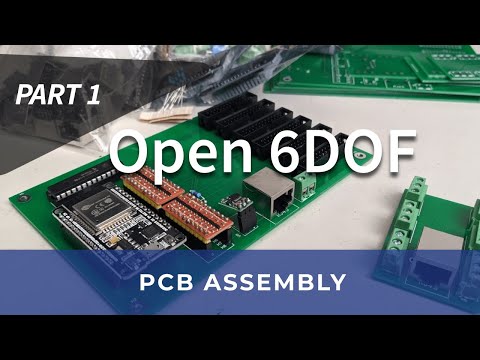
PCB video — part 1 · PCB video — part 2
2020–2021 — the original rig. The repository started in January 2020 around a full-size rotary Stewart platform, six AC servos and an ESP32 controller taking SimTools input. Development included custom controller and magnetic-sensor PCBs, dual-core Arduino firmware, MCP23S17 I/O expansion, Android BLE controls and a .NET platform tester. The build and demo videos above come from this early period.
2025 — the “Phoenix” modernization. Work resumed with Python visualization, an ESP32-S3 migration and, later that year, a move from Arduino to ESP-IDF. The controller and its development tools evolved alongside the mechanical project.
2026 — a shared simulation and hardware workbench. A native C++ desktop app
arrived in February, bringing 3D visualization, motion cueing, recording and
software/hardware-in-the-loop workflows together. In July, the shared math was
extracted into stewart-core, and the desktop-scale Mini-6DOF hobby-servo firmware
joined this repository. October work includes manufactured R13 single-axis bench testing, recovery of the
exact tested firmware, and R14 power, torque-latch and Hall-interface review. The
hardware/controller/app split and illustrated app documentation remain separate
from physical hardware qualification.
The project has evolved through several hardware and software generations. Old videos, timing measurements and design files are preserved as history; use the current R14 status and firmware evidence for today's implementation and testing requirements.
The original full-size build described in this repository uses:
- A 31-inch-diameter, ½-inch steel base plate.
- Six 750 W AC servo motors, 50:1 planetary gearboxes and couplers.
- AASD-15A servo drives with step/direction signaling.
- Twelve ½-inch Panhard bar kits with rod ends and high-misalignment spacers for the linkage.
These describe the original build, not a complete shopping list or a claim that all historical controller revisions are interchangeable.
The newer “6DOF 2” controller is an ESP32-S3 PCB design with W5500 Ethernet, six matching DB25 servo connectors, differential STEP/DIR outputs, conditioned alarm inputs and a supervised stop/inhibit circuit. R13 has one-axis bench evidence. R14 adds independent torque latches, protected remote Hall power and additional monitoring; its new circuits and six-axis firmware still need physical qualification.

The Mini-6DOF variant uses an ESP32 and six hobby servos for desktop-scale development. Mechanical assets live under hardware/mechanical/; the geometry guide explains platform dimensions and calibration.

Actual app screenshot using synthetic SIL data in hardware-disabled documentation mode—not r13 hardware telemetry.
The native C++/OpenGL/ImGui app is both a simulator and a development workbench:
- 3D platform views with servo-angle readouts and editable geometry.
- Independent entities for software-in-the-loop (SIL) experiments and hardware-in-the-loop (HIL) development.
- Motion cueing and filtering with per-axis controls and frequency-response views.
- Input plugins for Assetto Corsa, SimTools, manual controls and test signals.
- Recording and playback, time-series plots, spectrograms and diagnostic logs.
- Shared math for inverse kinematics, axis scaling and motion cueing, used by the desktop app and controller firmware.
- MCP automation for repeatable UI setup and genuine app screenshots, including an isolated mode that blocks hardware access.
Start with the illustrated app guide. The app README contains deeper technical detail, and app automation explains the MCP interface and its current coverage. Software tests and synthetic demonstrations are not physical hardware acceptance tests.
- Explore the software: follow the build guide, then use the app guide. For an explicitly hardware-disabled session, use the documentation-mode workflow.
- Choose the right controller: read the firmware variant map before working with the full-size, Mini or analyzer firmware. Their outputs and hardware requirements differ.
- Review the PCB: use the R14 overview, review evidence, and bench qualification plan. Buying and bench-use guidance is indexed in Hardware; the current do-not-order status still applies.
| Start here | Contents |
|---|---|
| Hardware | hardware/pcb/ design packages, buying/bench-use guides and hardware/mechanical/ models |
| Controller | Full-size firmware, Mini firmware, shared math, diagnostics and tests |
| App | Native desktop simulator/control app, MCP tools and optional Linux HIL bridge |
| Documentation | Build instructions, illustrated app usage, firmware, architecture and automation references |
For source paths, submodule setup and build directories, see the build guide.
If you enjoy the project or find the code, designs and build videos useful, you can support its continued development: Donate via PayPal.
Bug reports, documentation corrections and reproducible test results are welcome too. When reporting hardware behavior, include the board revision and firmware version so results from different generations do not get mixed together.
MIT — see LICENSE. Use at your own risk.