Homebrew's whole ecosystem, none of its weight. A ~4 MB Zig binary that reuses every bottle and formula - and runs post-install natively, both Homebrew's install steps and the Ruby post_install taps still ship, so packages actually work - all from a themeable CLI and TUI.
Installs to its own /opt/malt prefix; ~3 ms cold start. Designed by a human and implemented by AI.



Why malt · Install · First commands · Theming · TUI · Reference · Security · Architecture · Benchmarks

The demo may lag behind the latest features - the workflow it shows is still how malt works.
Important
malt is experimental and under active development. It works well for common packages and I use it daily as my primary package manager on macOS, but something may not work for you yet. The CLI surface is settled and significant breaking changes are unlikely - bugs are still likely.
If you hit one, please open an issue. User-reported bugs jump the queue and ship in patch releases.
This README tracks main, the development line, and may document features not yet in the latest release. For what actually ships with install.sh and the cask, read the README on the current release/0.X branch - the supported minor line, kept in sync with its patch releases.
malt is a client for the Homebrew registry, not a fork. It reuses every formula, bottle, cask, tap, and Brewfile in the ecosystem, installs to its own /opt/malt prefix, never touches Homebrew's files, and delegates anything it doesn't implement to brew when it's installed. What sets it apart:
- It actually finishes the install. Most alternative clients stop at post-install and leave packages half-broken. malt runs both kinds natively: Homebrew's declarative steps -
post_install_stepsfor formulae (v6) and flight steps for casks (v7) - which homebrew-core now uses throughout, and the Rubypost_installblocks that third-party taps still ship, through a built-in Zig interpreter. → Post-install - Reused work costs nothing. Bottles are stored by SHA256 and kegs are APFS
clonefile()copies, so the same bottle is never downloaded or extracted twice. Reinstalls and rollbacks cost no network and no bytes; anffmpeginstall against an existing store finishes in tens of milliseconds. → Benchmarks - Safety without the startup tax. Streaming SHA256, atomic 9-step installs that leave the old version untouched until the new one verifies, a 30 s lock against concurrent mutations, sandboxed subprocesses - in a ~4 MB binary that starts in ~3 ms. → Safety and security
- One theme, everywhere. A single
MALT_THEMEpalette colours both the CLI and themt tuidashboard. → Theming - A dashboard that drives the real CLI.
mt tuisearches, installs, upgrades, and runs services and doctor from one screen, delegating every action tomt <subcommand>. No daemon, no companion binary. → Interactive dashboard - Taps on any major forge. GitHub, GitLab (incl. self-hosted), Codeberg/Forgejo/Gitea and Gogs, resolved through the forge API without cloning the whole repo, with per-forge tokens for private taps. → Supported forges
- Signed, verifiable releases. Releases are cosign-signed keyless via GitHub OIDC;
install.shandmt version updateverify the signature before trusting the checksum. → Safety and security
Beyond these: ephemeral mt run <pkg> (no permanent install), a full operational surface (services, bundles, doctor, purge, backup/restore, migrate, reverse-dependency queries), and --json/--output-format=ndjson scripting everywhere it makes sense. See the Command reference.
Note
Compatibility note. "Drop-in" covers the directives a typical Brewfile uses - tap, brew, cask, mas, and vscode (the last two round-trip through the parser but are not yet installed by malt) - plus hash options and Ruby symbols. It does not cover Ruby do … end blocks or conditionals like if OS.mac?. Both raise a clear error. macOS only - Linux and Windows are out of scope.
Note
Built by human-directed AI. Design and architecture by a human; every merged change reviewed by a human; every commit of Zig written by Claude Code, driven through a stack of skills and guideline frameworks (ruflo, superpowers, andrej-karpathy-skills, improve, and project-specific skills) that encode the discipline a human would otherwise enforce by hand. malt has been refactored end-to-end more than once - install protocol, post_install interpreter, Mach-O patcher - each round steered by ADRs and security review. The repository, the test suite, and the running tool are the evidence.
Three install paths - pick the one that matches your setup.
The script:
- downloads the latest release,
- verifies the SHA256 checksum and a cosign keyless signature against the GitHub Actions workflow that produced it,
- installs the binary to
/usr/local/bin/, - and creates
/opt/maltwith proper ownership.
curl -fsSL https://raw.githubusercontent.com/indaco/malt/main/scripts/install.sh | bashThe script needs cosign on your PATH. To bypass verification (not recommended), set MALT_ALLOW_UNVERIFIED=1. If no release matches your platform, the script falls back to building from source.
To verify install.sh itself out of band, pin to a release tag - the latest below, or any release you trust - and compare its SHA256 against that release's notes:
curl -fsSL "https://raw.githubusercontent.com/indaco/malt/v0.25.0/scripts/install.sh" -o install.sh
shasum -a 256 install.sh
bash install.shmalt is published as a Homebrew cask:
brew install --cask indaco/tap/maltThe qualified <tap>/<cask> shorthand taps implicitly. Upgrade with brew upgrade --cask malt. mt version update detects a Homebrew-managed install and points you at brew upgrade --cask malt instead.
Clone the repo and run the install script. It detects the local checkout and builds from source automatically:
git clone https://github.com/indaco/malt.git
cd malt
./scripts/install.sh
Building requires Zig 0.16.x and produces malt in zig-out/bin/ with mt next to it as a symlink to malt. For development builds (debug, tests, universal binary), see CONTRIBUTING.
Make malt's binaries discoverable in new shells before starting. mt shellenv is a drop-in for eval "$(brew shellenv)":
echo 'eval "$(mt shellenv)"' >> ~/.zshrc          # or ~/.bashrc
mt shellenv fish | source                          # fish: set -gx, not export
Then a first session looks like this:
mt install jq wget ripgrep        # parallel downloads, single lock
mt list --versions                # see what landed
mt info ripgrep                   # version, tap, cellar path, pinned status
mt outdated                       # what has updates available
mt upgrade ripgrep                # atomic; old version is restored on failure
mt and malt are the same binary - mt is a symlink to malt and ships with every install method. Additional aliases: remove for uninstall, ls for list. Anywhere a flag accepts --formula or --cask, it also accepts --formulae or --casks - pick whichever reads more naturally.
If you typed something malt doesn't implement, malt checks for brew and silently delegates. If brew isn't installed:
malt: '<cmd>' is not a malt command and brew was not found.
Install Homebrew: https://brew.sh
MALT_THEME selects the palette for all malt output - CLI and mt tui alike - so MALT_THEME=dracula mt outdated and MALT_THEME=dracula mt tui render in the same colours. A background-aware default ships alongside ten named palettes, grouped by the terminal background they target:
| Background | Themes |
|---|---|
| Adaptive | default - follows the terminal background (auto/light/dark select it) |
| Dark | dracula, catppuccin-mocha, rose-pine, nord, tokyo-night, gruvbox-dark, everforest |
| Light | catppuccin-latte, rose-pine-dawn, gruvbox-light |
The default palette and all named themes - CLI + mt tui side by side
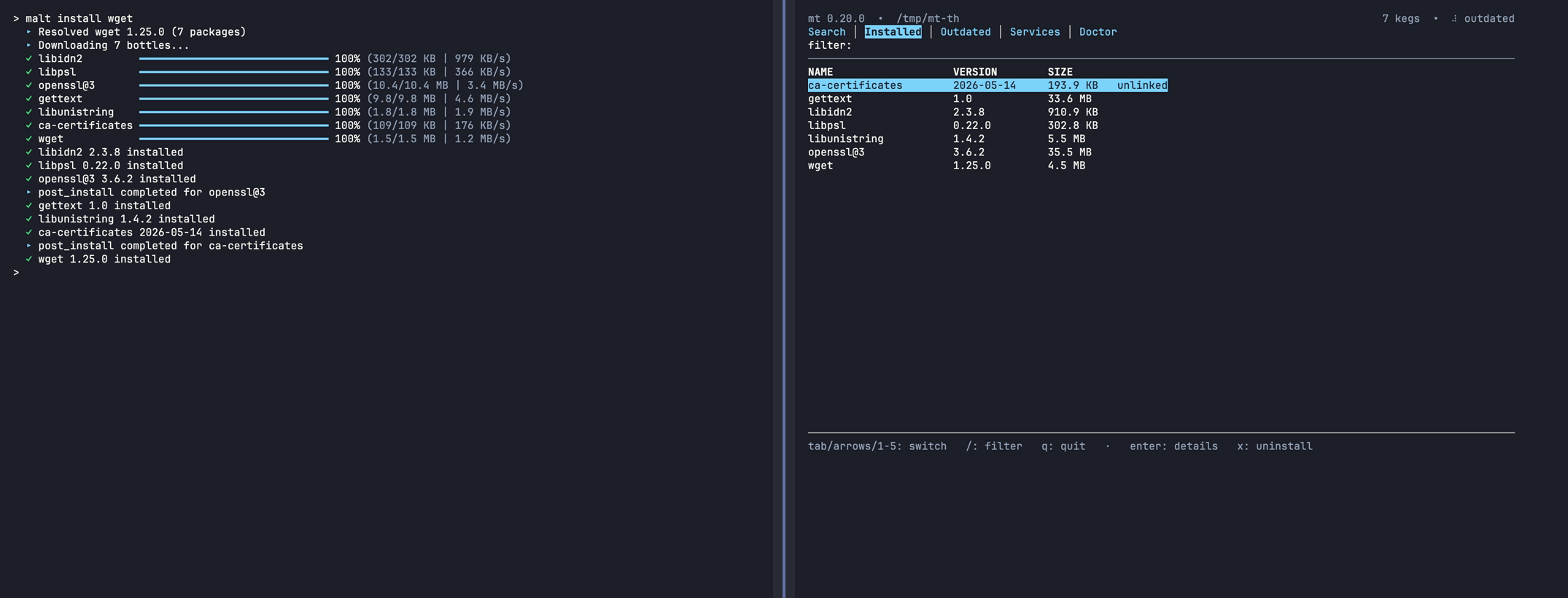 default (dark terminal) |
 default (light terminal) |
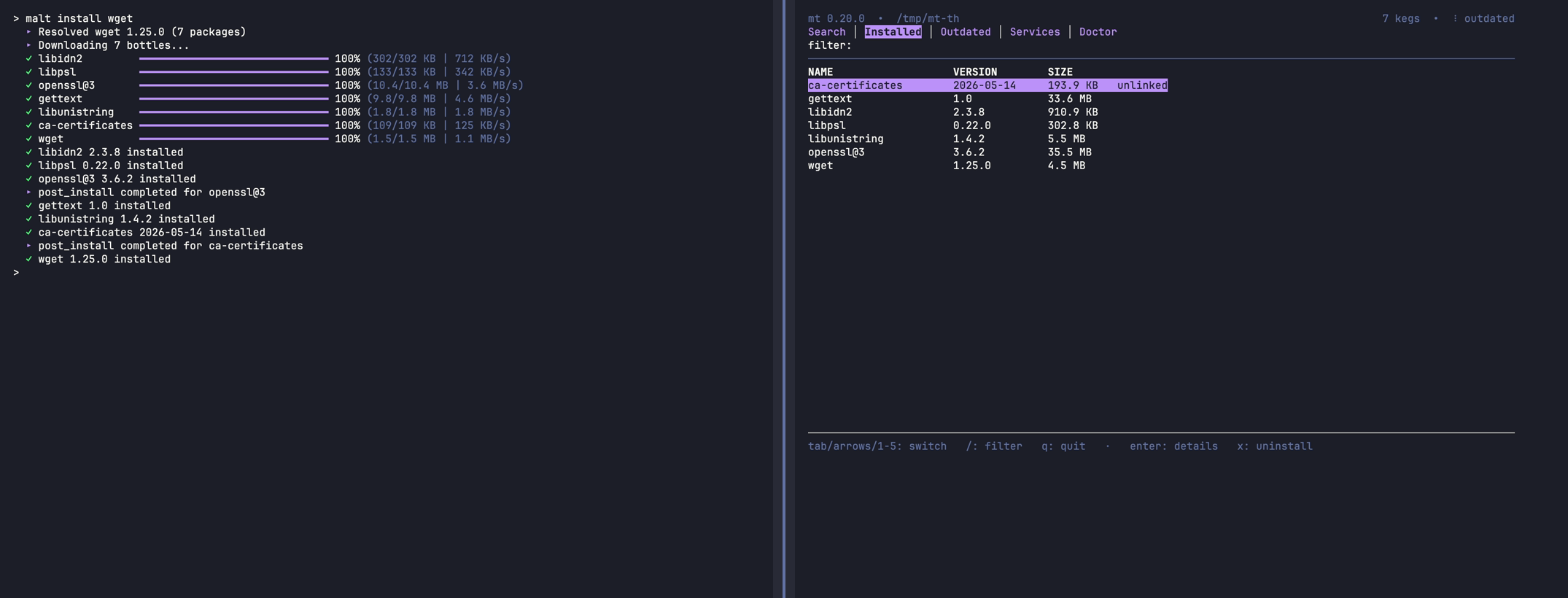 MALT_THEME=dracula |
 MALT_THEME=catppuccin-mocha |
 MALT_THEME=rose-pine |
 MALT_THEME=nord |
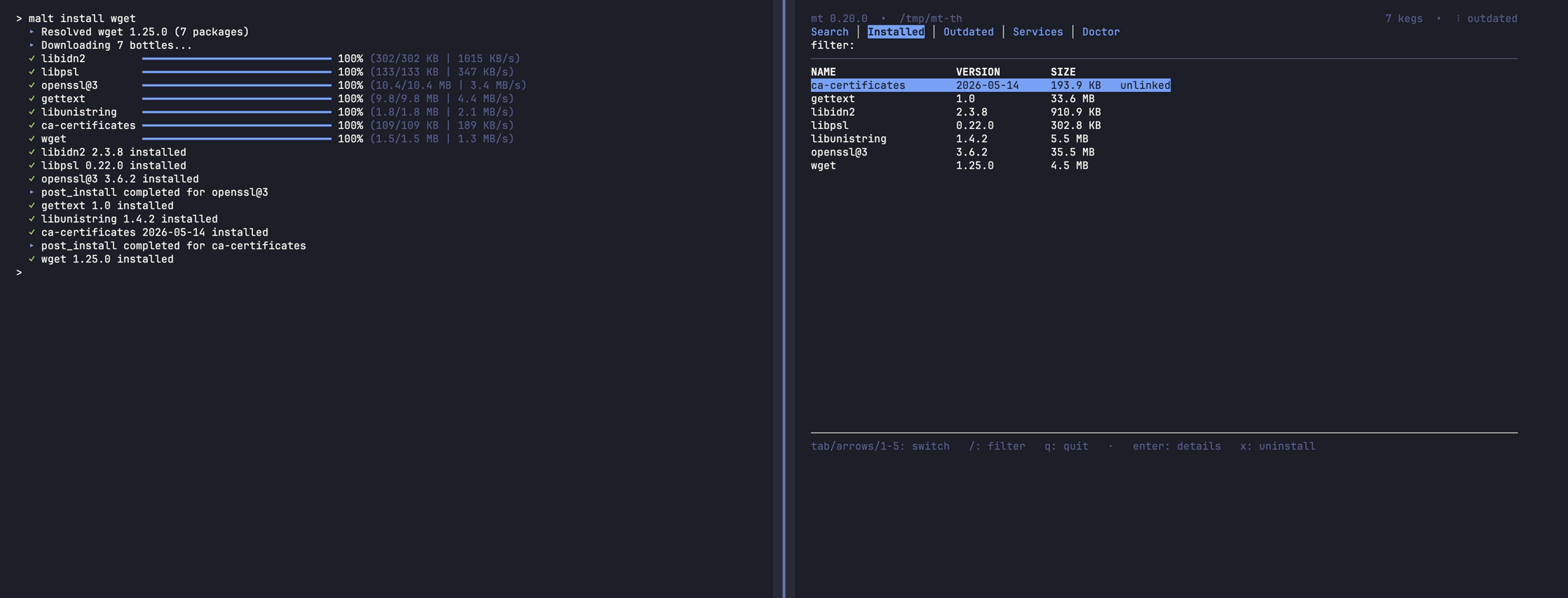 MALT_THEME=tokyo-night |
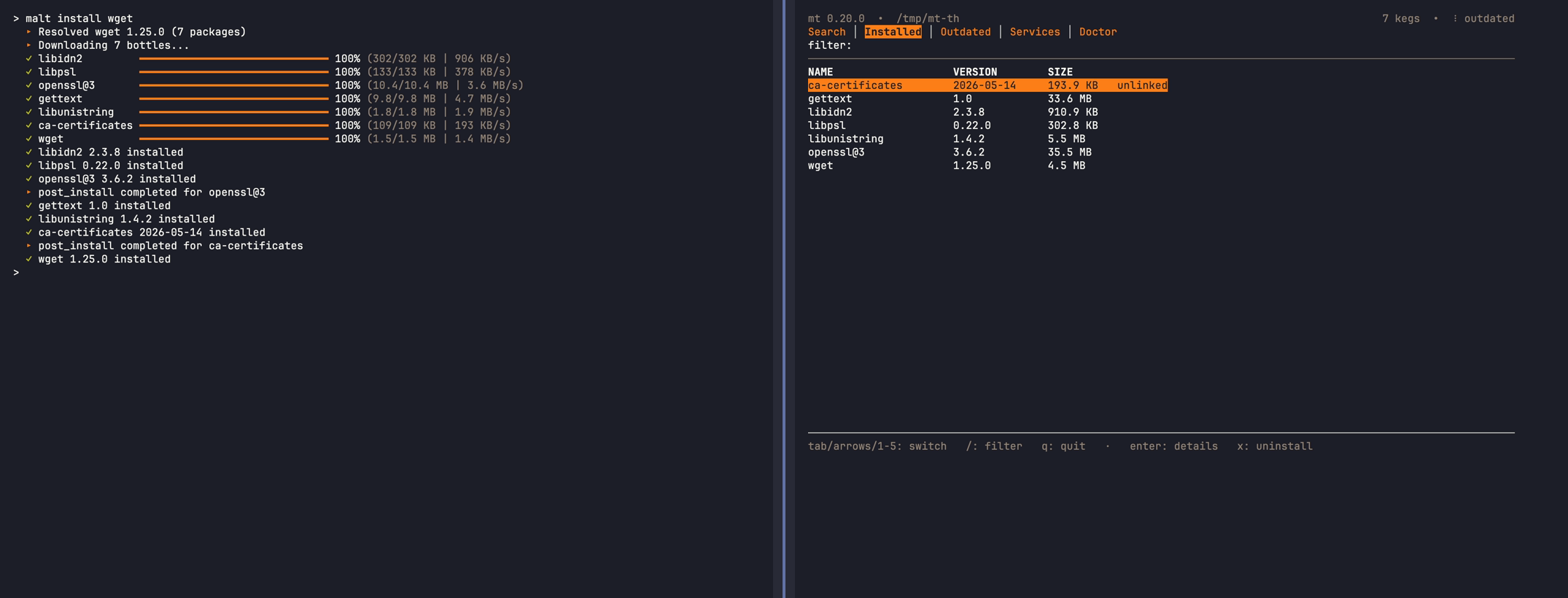 MALT_THEME=gruvbox-dark |
 MALT_THEME=catppuccin-latte |
 MALT_THEME=rose-pine-dawn |
 MALT_THEME=gruvbox-light |
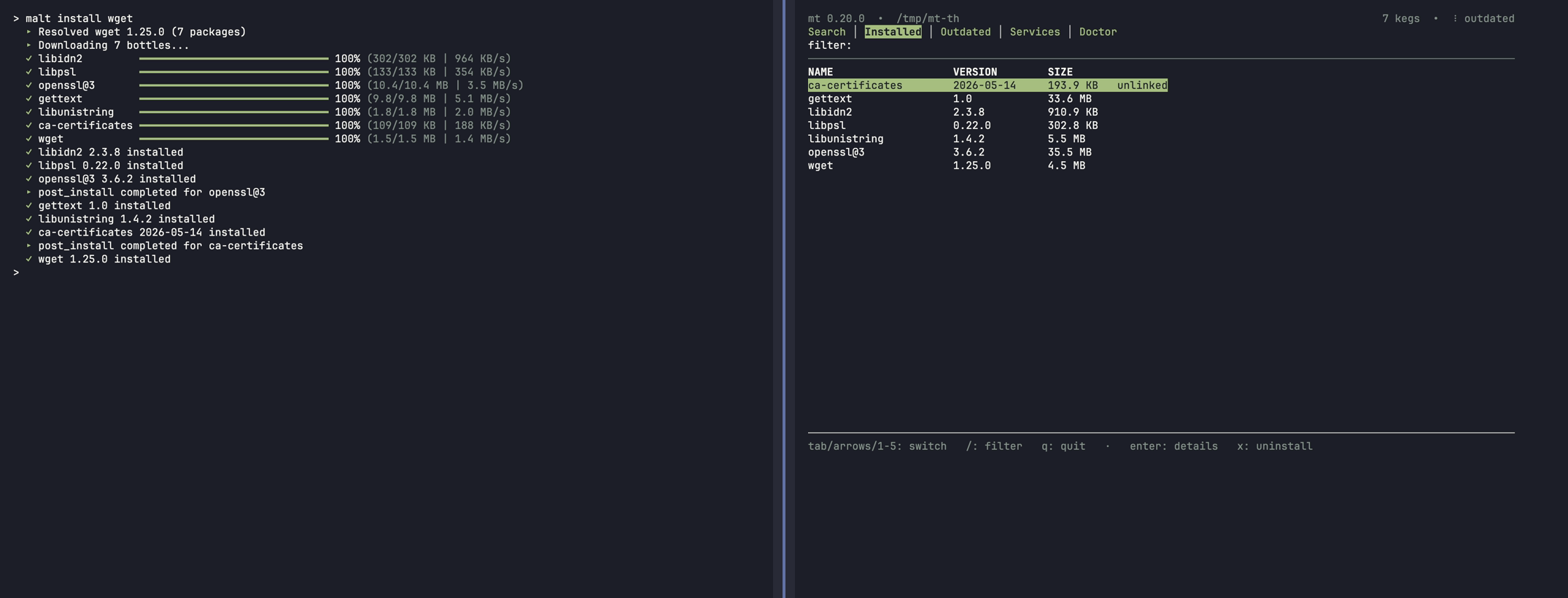 MALT_THEME=everforest |
light/dark/auto keep the background-aware default palette (auto detects via OSC 11). Named themes need a truecolor terminal and degrade to the default palette on a basic terminal, or on one whose background contradicts the theme (a dark theme on a light terminal).
Define your own palettes in a JSON file at MALT_THEMES_FILE (else {prefix}/etc/malt/themes.json). It is read once at boot and resolved through the same seam as built-ins, so custom themes colour both the CLI and mt tui. Select one with MALT_THEME=<name>, or mark a file default to apply when MALT_THEME is unset. A built-in name always wins, so a custom theme cannot shadow dracula.
File format - an example theme, colour syntax and validation
{
  "version": 1,
  "default": "my-dark",
  "themes": {
    "my-dark": {
      "polarity": "dark",
      "accent": "#bd93f9",
      "secondary": [139, 233, 253],
      "success": "#50fa7b",
      "warning": "#ffb86c",
      "danger": "#ff5555",
      "muted": 240
    }
  }
}
Each theme needs a polarity (dark/light) and all six roles. A colour is a hex string ("#rgb"/"#rrggbb"), an [r, g, b] array (0–255), or a single 0–255 integer (a 256-colour index).
The file is validated all-or-nothing: any malformed value rejects the whole file and malt keeps the built-in themes (a one-line notice, never a crash). A theme is gated like a built-in - it applies only when its polarity matches the detected background, and only when the terminal can render its deepest colour: hex/[r,g,b] needs truecolor (COLORTERM=truecolor/24bit), a 256-colour index needs at least a 256-colour terminal (COLORTERM, or a TERM naming 256color). A theme the terminal cannot render degrades wholesale to the default palette.
mt tui opens a persistent, resize-aware dashboard - search, install, upgrade, services, and doctor from one screen, each action delegating back to mt <subcommand>. No daemon, nothing to install first.

mt tui                                   # launch the dashboard
MALT_THEME=dracula mt tui                # launch with a named theme
Note
mt tui needs a real terminal: on a pipe, in CI, or with NO_COLOR set it refuses to launch and exits 2 rather than stream escape sequences into a non-TTY.
Five tabs, each a live view over mt … --json:
| Tab | Shows | Acts via |
|---|---|---|
| Search | mt search hits, basket select across queries |
mt install the basket |
| Installed | every keg + cask with a detail pane | mt uninstall |
| Outdated | upgradable packages, multi-select (pinned greyed) | mt upgrade |
| Services | launchd services + runtime state | mt services start/stop/restart |
| Doctor | structured mt doctor findings, errors first |
mt doctor --fix <class> |
Drive it with the mouse or the keyboard: click a tab to switch, click any row to select it, scroll the active list with the wheel. Each tab lists its own action keys in the footer.
- Batch installs across searches.
spaceadds a hit to a basket that survives new queries,iinstalls everything in it, andlopens it for review (space/dremoves a pick,nclears it). - Reads with
--json, acts by delegating. Each action runs the realmt <subcommand>inline, so output and prompts land in your scrollback. It never reimplements install, upgrade, or fix. - Resizes live. Columns reflow as you drag the window; below a usable size it shows a "terminal too small" notice instead of a corrupted frame.
Commands grouped by what you're doing. Every command works with malt or mt. mt <command> --help and man malt list every flag; Global flags covers the cross-cutting set (--quiet, --dry-run where mutating, --json where applicable).
At a glance - malt -h:
malt - Homebrew's whole ecosystem, none of its weight.
Reuses every formula, bottle, and Brewfile; runs post-install steps and Ruby post_install natively.
Themeable TUI and CLI.

Usage: malt <command> [options] [arguments]
       mt <command> [options] [arguments]    (alias)

Commands:
  install       Install formulas, casks, or tap formulas
  reinstall     Wipe and re-materialise an installed package
  uninstall     Remove installed packages
  upgrade       Upgrade installed packages
  update        Refresh metadata cache
  outdated      List packages whose installed version differs from the tap
  list          List installed packages
  info          Show detailed package information
  search        Search formulas and casks
  uses          Show installed packages that depend on a formula
  deps          Show what a formula depends on (forward of `uses`)
  which         Resolve a prefix binary (or path) to its keg
  vulns         Report open advisories for installed formulae
  doctor        System health check
  tap/untap     Manage taps
  migrate       Import existing Homebrew installation
  rollback      Revert a package to its previous version
  link          Create symlinks for an installed keg
  unlink        Remove symlinks (keg stays installed)
  pin           Protect an installed formula or cask from `upgrade`
  unpin         Lift the pin so `upgrade` resumes touching it
  run           Run a package binary without installing
  completions   Generate shell completion scripts (bash, zsh, fish)
  shellenv      Print PATH/MANPATH/HOMEBREW_PREFIX exports for shell init
  backup        Dump installed packages to a restorable text file
  restore       Reinstall every package listed in a backup file
  purge         Housekeeping or full wipe (--store-orphans, --unused-deps,
                --cache, --downloads, --stale-casks, --old-versions,
                --housekeeping, --wipe)
  cleanup       Shorthand for `purge --housekeeping`
  services      Manage long-running launchd services (start/stop/status/logs)
  tui           Interactive dashboard (search, installed, outdated, services, doctor)
  bundle        Install or export a Brewfile/Maltfile.json set of packages
  version       Show version (use 'version update' to self-update)
mt install wget                          # auto-detect formula or cask
mt install --cask firefox                # explicit cask
mt install user/tap/formula              # inline tap, no separate tap step
mt install openssl@3                     # versioned formula
mt install jq wget ripgrep               # parallel downloads, single lock
mt install --only-dependencies wget      # transitive deps only
mt install --force wget                  # overwrite an existing install
mt install --local ./hello.rb            # local formula (see Local formulas below)
mt install --dry-run jq                  # preview without installing

mt reinstall jq                          # re-materialise an installed formula or tap package
mt run jq -- --version                   # run a binary without installing
mt run --keep ripgrep -- --help          # ...and cache the bottle for next time

mt uninstall wget                        # refuses while other packages depend on it
mt uninstall --cask firefox              # --force skips the dependents check, never a running app
mt migrate --dry-run # preview importing an existing Homebrew install- Unverified recipes. A tap or local recipe declaring
sha256 :no_checkinstalls only with--allow-unpinned, which covers dependencies too, and each one warns.mt restoreandmt bundlenever opt in. --use-system-rubyis per-formula, so one failingpost_installcannot widen the sandbox across a batch: the bare flag works for a single package (mt install jq --use-system-ruby), several need--use-system-ruby=jq, andmt migraterejects the bare form.- Uninstall is all-or-nothing. Every name is checked first, so one that is not installed aborts the run. A cask whose application is running is refused, even with
--force. A name installed as both formula and cask is removed as the formula, with a warning (as inbrew), and a casks or kegs table malt cannot read stops the run unless--formulaor--casknames the side. Store entries stay untilmt purge --store-orphans. mt migratereinstalls each Homebrew keg through malt without touching Homebrew. A keg whosepost_installmalt cannot run is skipped and reported.--parallelruns 4 workers by default (MALT_MIGRATE_PARALLEL_WORKERS), and an interrupted run resumes where it stopped.
mt install --local ./formula.rb is a code-execution surface: the .rb names the archive URL and SHA256 of what lands on your system, so installing one trusts that file. Use it for your own or in-house formulas, or to try upstream changes before they reach a tap - never for a .rb you did not read.
- Visible. malt prints the canonical realpath on every install, plus an extra ⚠ line when the
.rbis world-writable or owned by another user. - Detection. A
.rbpath starting with./,/or~/, or with any embedded slash, is treated as local; a barewget.rbneeds--local. - Strict inputs. The archive URL must be
https://(http,file://,ftp://anddata:are rejected before any download), the SHA256 is compared in constant time, and a path, file name orversionholding a control character is refused. - Refused combinations.
--localwith--cask,--formulaor--use-system-ruby. - No upstream.
mt upgradeandmt outdatedskip a local keg; re-runmt install --local <path>to update it.
What a local .rb may contain - supported fields, service blocks and an example
For local installs, malt reads the bottle-style version + url + sha256 triple (optionally nested under on_macos / on_arm / on_intel), a cask's per-arch arch / sha256 arm:, intel: at top level or under on_macos, the runtime depends_on names, and a service do block whose run uses keg-relative paths (opt_bin/"x", var/"...", Formula["dep"].opt_bin/"x") or plain strings, which may interpolate the formula's own opt_bin, opt_sbin, opt_libexec, opt_prefix, bin, sbin, libexec, prefix, var, etc or HOMEBREW_PREFIX ("--config=#{etc}/x.conf", not #{Formula["dep"].opt_bin}) - a block it cannot translate is skipped with a warning. A block that only names a plist the formula installs itself (name macos: "...") is read from the keg's own <label>.plist into a malt service; tap and local archives are not text-relocated, so that plist must already spell malt's prefix, and a plist using a launchd key malt does not carry is skipped with a warning naming it. Keg-relative roots (bin/"x", libexec/"x") pin the plist to the installed version's Cellar path, so prefer opt_bin/"x" if the service should survive mt rollback. A keg installed before its service was recognised gains it on the next mt install --force or mt upgrade. It does not evaluate post_install - if you need that, publish the formula to a tap and install via mt install user/tap/formula instead. Anything inside on_linux, a macOS-release block (on_ventura :or_newer) or an if MacOS.version branch is skipped, so a package whose download is only declared there is refused rather than guessed - as is a url using an interpolation other than #{version} and #{arch}.
Supported archive formats are .tar.gz, .tgz, .tar.xz, and .zip. The formula name comes from the file's basename: hello.rb installs hello. A minimal compatible .rb:
class Hello < Formula
  version "1.2.3"
  on_macos do
    on_arm do
      url "https://example.com/hello-#{version}-arm64.tar.gz"
      sha256 "aaaa…"   # 64 hex chars
    end
    on_intel do
      url "https://example.com/hello-#{version}-x86_64.tar.gz"
      sha256 "bbbb…"
    end
  end
end
A flat url / sha256 at the top level works for single-arch archives. See scripts/fixtures/local_formulae/hello.rb for a runnable example.
Three commands form the upgrade loop:
mt update                                # refresh API cache + drop outdated snapshot
mt update --check                        # write a fresh outdated snapshot only

mt outdated                              # installed version differs from the tap
mt outdated --pinned-only                # CVE watch on held-back versions
mt outdated --refresh                    # bypass the cached snapshot

mt upgrade <name>                        # upgrade a specific formula or cask
mt upgrade --formula                     # all outdated formulas
mt upgrade --cask                        # all outdated casks
mt upgrade --pinned --dry-run            # audit pinned drift without mutating
mt upgrade --force <name>                # bypass a pin for one upgrade
mt upgrade --allow-unpinned <name> # upgrade a sha256 :no_check tap package- Unverified tap packages. Without
--allow-unpinned, asha256 :no_checktap package is skipped by a bulkmt upgradeand fails when named. mt outdatedreads a cached snapshot (5 min TTL;MALT_OUTDATED_MAX_AGE=<minutes>overrides,0always recomputes) filtered through the live DB, so a removed or hand-upgraded keg never appears.mt upgradeinstalls and verifies the new version, switches symlinks atomically, and removes the old version only after success; on failure the old version is restored.mt pin/mt unpinhold a package at its version;mt upgradeskips it with a "pinned, skipped" line. A formula and a cask sharing a name keep separate pins, and a bare name means the formula, with a warning (as inbrew).mt rollback <package>reverts to the previous version; a name installed as both is rolled back as the formula, with a warning, unless--caskor--formulapicks the side. A formula comes back from the store without re-downloading; a cask re-downloads when its cached artefact is gone.--listshows the retained versions and--to <version>picks one.
mt list                                  # columns on a terminal, bare names when piped
mt list -v                               # one per line, with [pinned]
mt list --versions --formula             # narrow + show versions
mt list --pinned                         # held-back versions only
mt list --json

mt info wget                             # version, tap, cellar path, pinned status
mt info --cask firefox                   # a bare name installed as both kinds shows the formula, with a warning

mt search ripgrep                        # brew-parity: queries the Homebrew API
mt search ripgrep --formula              # narrow
mt search ripgrep --installed            # local DB only; no network
mt search ripgrep --all                  # local + API, merged

mt uses openssl@3                        # direct dependents
mt uses --recursive openssl@3            # full transitive closure
mt deps ffmpeg                           # direct deps (forward of `uses`)
mt deps --recursive ffmpeg               # full forward closure
mt deps --installed -r node@20           # restrict to locally-resolved kegs
mt which jq                              # reverse lookup: bin -> keg-path

mt vulns                                 # open advisories for every installed formula
mt vulns --severity high                 # high and critical only
mt vulns abcde curl                      # just these formulae; exits 1 when anything is open, 2 if some could not be checked
mt vulns --json
mt whichtakes a bare name or a malt-managed symlink path and prints<name> <version> <keg-path>. It is read-only and offline, and exits non-zero for a binary malt does not own.mt searchmatchesbrew searchby default (the Homebrew API).--installedsearches the local DB without network,--allmerges both, and--offline(orMALT_OFFLINE=1) collapses every scope into--installed.mt depsanswers "what does X depend on?" - the reverse ofmt uses. Installed kegs are read from the local DB and the rest from the API;--installedstays offline.
mt doctor runs a battery of health checks. It exits 0 (OK), 1 (warnings), 2 (errors).
mt doctor
mt doctor --fix                          # repair safe-class warnings
mt doctor --fix --dry-run                # preview the repair plan
mt doctor --post-install-status          # which post-install work runs natively, per keg
Every doctor check - what passes and what each failure means
| Check | Pass | Fail |
|---|---|---|
| Database schema | Schema version is one this malt can operate | Error: written by a newer malt, upgrade |
| SQLite integrity | PRAGMA integrity_check returns ok |
Error: database corrupt |
| Directory structure | All required directories exist under prefix | Warn: missing directory |
| Stale lock | No lock file, or lock PID is running | Warn: suggest removal |
| APFS volume | /opt/malt is on APFS |
Warn: clonefile unavailable |
| API reachable | HEAD to formulae.brew.sh returns 2xx |
Warn: offline |
| Orphaned store | All store entries referenced by a keg | Warn: suggest mt purge --store-orphans |
| Missing kegs | All DB keg paths exist on disk | Error: suggest reinstall |
| Cellar package dirs | No Cellar/<name> is a symlink |
Warn: installs there are refused |
| Broken symlinks | All symlinks in bin/, lib/ etc. resolve | Warn: suggest mt cleanup |
| Disk space | > 1 GB free on prefix volume | Warn: low disk space |
| Post-install DSL | All installed post_install formulae parseable | Warn: unsupported construct |
--fix repairs only the safe classes - reversible, and never touching user data: stale advisory locks (recorded PID is dead), broken symlinks under bin/, lib/, include/, share/ and sbin/, and orphaned store entries. Dangerous classes (corrupt DB, missing kegs, missing prefix directories, weak permissions, unpatched relocation placeholders) keep their manual remediation hint.
mt purge is the housekeeping and full-wipe entry point. A scope flag is required.
# Safe scopes
mt purge --store-orphans
mt purge --unused-deps
mt purge --cache=30
mt purge --stale-casks
mt purge --housekeeping

# Destructive
mt purge --downloads
mt purge --old-versions
mt purge --wipe
mt purge --wipe --backup ~/snapshot.txt --remove-binary --yes| Scope | Removes | Confirm gate |
|---|---|---|
--store-orphans |
Store blobs no installed keg references | none |
--unused-deps |
Indirect-install kegs no other package needs | none |
--cache[=DAYS] |
Cache files older than DAYS (default 30) | none |
--downloads |
Entire {cache}/downloads directory |
type downloads |
--stale-casks |
Cask cache + Caskroom entries for uninstalled casks | none |
--old-versions |
Non-latest version directories in {prefix}/Cellar |
type old-versions |
--broken-symlinks |
Prefix symlinks whose target no longer exists | none |
--housekeeping |
= --store-orphans --unused-deps --cache --stale-casks --broken-symlinks |
none |
--wipe |
Every malt artefact on disk except {prefix}/var (mutually exclusive) |
type purge |
- Before deleting.
--dry-run/-npreviews,--yes/-yskips the typed confirmation, and--backup <path>writes amt restore-compatible manifest first.--wipealone takes--keep-cacheand--remove-binary. - Scripting.
--jsonprints one summary object and--output-format=ndjsonstreams events, one per line; stderr stays human. A scope that could not run makes the command exit 1 (4 when the database was written by a newer malt), so a script can tell a refusal from nothing to remove. - Scopes.
--wipecannot combine with any other scope; the rest run together under one lock.mt purgehonoursMALT_PREFIXandMALT_CACHE, so a throwaway prefix is the safe way to try it. mt cleanupis the Homebrew-shaped alias formt purge --housekeeping; trailing flags pass through (mt cleanup --dry-run).mt link/mt unlinkmanage a keg's prefix symlinks.linkaborts on conflicts unless--overwrite/--force;unlinkleaves the keg installed.
mt services is a drop-in for brew services:
mt services list                         # registered services + runtime state
mt services start postgresql@16          # launchctl bootstrap into gui/<uid>
mt services stop postgresql@16
mt services restart postgresql@16
mt services status postgresql@16
mt services logs postgresql@16 --tail 50
mt services logs postgresql@16 --stderr
mt services logs postgresql@16 -f # tail and follow until SIGINT- Registration. A formula's
serviceblock registers on install (e.g.postgresql@16,redis), including tap and--localformulas. A block that only names the formula's own plist is read from the keg's<label>.plistwhen its paths already point at malt's prefix. Plist, logs and the service definition live in{prefix}/var/malt/services/<label>/. - Upgrades.
mt upgradere-renders the plist (mt rollbackdoes not); a running service keeps the old definition untilmt services restart <name>. A version that drops itsserviceblock retires the registration;mt reinstall <name>brings it back,mt rollbackdoes not.mt uninstallretires it too, as doesmt cleanupreaping an unused dependency - but a job still loaded keeps its registration somt services stopcan reach it. - Environment. A service gets its formula's
environment_variables, with$HOMEBREW_PREFIXresolved to malt's prefix - so a formula that setsHOMEor a data directory (e.g.caddy,ejabberd) may start from an empty data directory once its plist is re-rendered. A keg already on the current version needsmt reinstall <name>thenmt services restart <name>. Tap and--localformulas don't readenvironment_variablesyet; malt warns and registers the service without them. - Your overrides. Put settings in
~/.config/malt/services/<formula>.env(or$XDG_CONFIG_HOME/malt/services/<formula>.env), named after the formula, not the launchd label: oneKEY=VALUEper line,#comments, no quoting or expansion. They are merged over the formula's environment whenever malt writes the plist, so an edit applies on the nextmt services restart <formula>.PATH,HOMEandDYLD_*are refused. The file must be a regular file you own that no one else can write; otherwise, or with a bad line, it is ignored whole, with a warning - on start/restart the plist stays as it was, and on install/upgrade/reinstall the service is registered with the formula's environment only. A service registered by an older malt picks the file up after onemt reinstall <formula>.
mt bundle is a drop-in for brew bundle, with no Brewfile conversion:
mt bundle install                        # ./Brewfile or ./Maltfile.json
mt bundle install path/to/Brewfile
mt bundle install --file path/to/Brewfile # brew bundle's spelling, same as above
mt bundle install --dry-run
mt bundle cleanup                        # remove direct packages absent from Brewfile
mt bundle cleanup --yes                  # skip the typed confirmation
mt bundle create                         # snapshot installed -> ./Brewfile
mt bundle create --format json my.json
mt bundle export                         # print to stdout
mt bundle list                           # registered bundles
mt bundle remove devtools                # unregister; --purge also uninstalls
mt bundle import path/to/Brewfile # register without installing- Lookup order for
install/cleanup(no path given):./Brewfile→./Maltfile.json→~/.config/malt/Brewfile→~/.config/malt/Maltfile.json. - Unknown flags are refused with exit 1, never ignored: a typo like
--dryrunmust not run the real cleanup. - Brewfile syntax.
tap,brew,cask,masandvscodelines, hash options (version:,restart_service:,link:) and Ruby symbols. Conditionals anddo … endblocks are refused with a pointer toMaltfile.json. - Bundle names.
installandimportregister a bundle by its Maltfile.jsonname, or, without one (every Brewfile), by the file's absolute path, whichlistshows.removeandexporttake any path to that file, andremove --purgeuninstalls the members recorded at the lastinstallorimport, not whatever the file lists now; a bundle with no recorded members (one an older malt only imported) refuses--purgeuntil its file is imported again. An unknown name exits 1. A bundle an older malt registered asunnamedor by a relative path keeps that name:mt bundle remove <name>, then import the file again. - Local recipes have no Brewfile line:
create/exportskip them with a rebuild hint, andcleanup/remove --purgeleave them installed.cleanupalso keeps anything a remaining package depends on.
mt backup and mt restore cover the simpler case - a plain-text manifest of directly-installed packages, easy to hand-edit or check into dotfiles:
mt backup                                # writes malt-backup-<timestamp>.txt to cwd
mt backup -o my-setup.txt                # custom path; "-o -" writes to stdout
mt backup --versions                     # record each entry's installed version

mt restore my-setup.txt
mt restore my-setup.txt --dry-run
mt restore my-setup.txt --force
Only directly-installed packages are recorded - one formula <name> or cask <token> per line (tap packages as <user>/<repo>/<name>), with # comments - and dependencies resolve on restore. A recorded version is informational: restore installs the current release. A --local keg is kept as a comment, and restore prints the command to rebuild it. Restore skips invalid lines with a warning, installs the rest, then exits non-zero (a dry run exits 0).
mt tap user/repo                                  # register a tap
mt tap                                            # list registered taps
mt tap user/repo --repo owner/exact-repo          # prefixless GitHub repo
mt tap user/repo --repo owner/exact-repo --force  # rebind to a new repo
mt untap user/repo                                # remove a tap
Taps are auto-resolved during install (mt install user/repo/formula), so this is optional unless you want the explicit Homebrew-style workflow.
GitHub is the default. Other forges register with --host plus an explicit --repo (the homebrew-<repo> convention is GitHub-only), or with one --url https://<host>/<owner>/<repo>, which works for every forge and cannot combine with --host or --repo.
| Forge | Hosts | Token env var |
|---|---|---|
| GitHub | github.com |
MALT_GITHUB_TOKEN |
| GitLab (incl. self-hosted) | gitlab.com, gitlab.gnome.org, custom |
MALT_GITLAB_TOKEN |
| Codeberg / Forgejo / Gitea | codeberg.org, self-hosted Forgejo/Gitea |
MALT_GITEA_TOKEN |
| Gogs | self-hosted Gogs | MALT_GITEA_TOKEN |
Only gitlab.* and codeberg.org auto-classify from the host; any other host needs --forge (gitlab, gitea or gogs), with --host or --url alike. Gogs is always explicit: it shares the Gitea API and MALT_GITEA_TOKEN, but its pin endpoint differs. See environment variables for how each token is sent.
Registration examples for every forge - --host + --repo and --url
# Each forge takes the --host + --repo pair or the equivalent --url.

# GitHub (default)
mt tap user/repo --repo owner/exact-repo
mt tap user/repo --url https://github.com/owner/exact-repo

# GitLab (gitlab.* auto-classifies from the host)
mt tap grp/tap --host gitlab.com --repo grp/homebrew-tap
mt tap grp/tap --url https://gitlab.com/grp/homebrew-tap

# Self-hosted GitLab (host can't classify - name the forge)
mt tap acme/tap --host code.acme.com --forge gitlab --repo acme/tap
mt tap acme/tap --url https://code.acme.com/acme/tap --forge gitlab

# Codeberg / Forgejo / Gitea (codeberg.org auto-classifies)
mt tap org/tap --host codeberg.org --repo org/homebrew-tap
mt tap org/tap --url https://codeberg.org/org/homebrew-tap

# Self-hosted Forgejo/Gitea (host can't classify - name the forge)
mt tap org/tap --host git.acme.com --forge gitea --repo org/tap
mt tap org/tap --url https://git.acme.com/org/tap --forge gitea

# Gogs (never auto-classifies - always name the forge)
mt tap org/tap --host git.acme.com --forge gogs --repo org/tap
mt tap org/tap --url https://git.acme.com/org/tap --forge gogs
A non-GitHub tap registers unpinned; mt tap --refresh <slug> pins its current HEAD. mt doctor lists every registered tap with the forge host it resolves against, so you can confirm a --host registration landed where you intended.
GitLab /-/archive/ and Gitea/Gogs /archive/ tarballs are regenerated server-side, so a sha256 pinned against one can later mismatch even when the contents didn't change. Pin a release-asset URL instead; a Sha256Mismatch on a generated-archive URL usually means the forge re-rolled the tarball, not a corrupt download.
mt version                               # show current version
mt version update                        # interactive self-update
mt version update --check                # check only, no download
mt version update --yes                  # non-interactive (CI / scripts)
mt version update --cleanup              # remove stale .old + orphaned staging files

eval "$(mt shellenv)"                    # PATH/MANPATH; auto-detect from $SHELL
mt shellenv fish | source                # fish needs `set -gx`

eval "$(malt completions zsh)"           # run AFTER `compinit`
malt completions bash > /usr/local/etc/bash_completion.d/malt
malt completions fish > ~/.config/fish/completions/malt.fish
mt version update verifies the release with cosign and SHA256 against the same trust anchor as install.sh, then atomically replaces the binary, keeping the previous one at <target>.old. --cleanup removes those (and orphaned staging files from killed updates) without network calls. A Homebrew-installed malt is pointed at brew upgrade --cask malt instead.
To bypass cosign (strongly discouraged), install.sh accepts MALT_ALLOW_UNVERIFIED=1. mt version update requires both the env var and --no-verify, because update is the command that runs repeatedly:
MALT_ALLOW_UNVERIFIED=1 mt version update --no-verifymt shellenv exports HOMEBREW_PREFIX, HOMEBREW_CELLAR and HOMEBREW_REPOSITORY so brew-aware scripts keep working, and prepends malt's paths to PATH, MANPATH and INFOPATH. With no argument it detects the shell from $SHELL, and an unrecognised one fails closed.
mt completions prints a bash, zsh or fish completion script to stdout, covering subcommands, per-command flags and global flags; an unknown shell exits non-zero.
| Flag | Description |
|---|---|
--verbose, -v |
Verbose output |
--debug |
Surface every DSL diagnostic (implies verbose); pair with issue reports |
--quiet, -q |
Suppress non-error output |
--json |
JSON output (read commands; also emits per-package post_install status lines) |
--output-format=ndjson |
Stream one JSON event per state transition (stdout); human output stays on stderr |
--dry-run |
Preview without executing |
--offline |
Serve every fetch from the snapshot cache; fail fast with OfflineRequired on a miss (mirrors MALT_OFFLINE=1) |
--help, -h |
Show help |
--version |
Show version |
| Variable | Description | Default |
|---|---|---|
MALT_PREFIX |
Override install prefix | /opt/malt |
MALT_CACHE |
Override cache directory | {prefix}/cache |
MALT_APPDIR |
Where cask app bundles land and what the appdir base of a cask's flight steps resolves to (brew's --appdir); absolute canonical path (no .., //), anything else is ignored |
/Applications |
MALT_BREW_PATH |
Override the real brew binary that unknown commands fall back to (custom install prefix) |
probes standard install paths |
NO_COLOR |
Disable colored output. Unconditional veto: it wins over CLICOLOR_FORCE |
unset |
CLICOLOR |
Set to 0 to disable colored output |
unset |
CLICOLOR_FORCE |
Set to a non-empty value other than 0 to emit colored output even when stderr is not a terminal (piping into less -R, ANSI in CI logs) |
unset |
MALT_NO_EMOJI |
Disable emoji in output | unset |
MALT_NO_VERSION_NOTIFIER |
Set to 1 to suppress the "newer malt available" notice |
unset |
MALT_VERSION_NOTIFIER_ASSUME_TTY |
Testing/automation: set to 1 to bypass the non-TTY suppression so a scripted run can assert the notice without a pty (bypasses only the TTY gate) |
unset |
MALT_PROGRESS |
Progress reporter for install/upgrade/migrate: tty, plain, or none (CI=true or GITHUB_ACTIONS=true flip the default to plain) |
tty |
MALT_THEME |
Colour theme for all output (CLI and mt tui). See Theming for the palette list and fallback rules. |
auto |
XDG_CONFIG_HOME |
Base directory for per-service environment overrides only ($XDG_CONFIG_HOME/malt/services/<formula>.env); ignored unless absolute |
~/.config |
MALT_THEMES_FILE |
Path to a JSON file of custom themes (see "Custom themes"); read once at boot, else {prefix}/etc/malt/themes.json is used if present |
{prefix}/etc/malt/themes.json |
HOMEBREW_GITHUB_API_TOKEN |
GitHub token for higher API rate limits | unset |
MALT_GITHUB_TOKEN |
GitHub token sent as Authorization: Bearer on tap /commits/HEAD calls only |
unset |
MALT_GITLAB_TOKEN |
GitLab token (PAT) sent as PRIVATE-TOKEN on tap commit + raw .rb calls for GitLab-hosted taps |
unset |
MALT_GITEA_TOKEN |
Codeberg/Forgejo (Gitea) token sent as Authorization: token on tap commit + raw .rb calls; covers Codeberg and self-hosted Forgejo/Gitea |
unset |
MALT_HTTP_IDLE_TIMEOUT_SECS |
HTTP idle (no-progress) read timeout in seconds (clamped to [5, 600]) |
30 |
HTTP(S)_PROXY, ALL_PROXY |
Route every fetch through an HTTP CONNECT proxy ([http://][user:pass@]host:port, lower-case names work). NO_PROXY is not read; socks5:// ignored |
unset |
MALT_API_DOMAIN |
Override metadata API base URL; HTTPS only; falls back to HOMEBREW_API_DOMAIN |
https://formulae.brew.sh/api |
MALT_BOTTLE_DOMAIN |
Override bottle registry base URL; HTTPS only; falls back to HOMEBREW_BOTTLE_DOMAIN |
https://ghcr.io |
MALT_OFFLINE |
Set to 1/true to route every fetch through the snapshot cache; misses surface OfflineRequired instead of stalling on connect (mirrors --offline) |
unset |
MALT_MIGRATE_PARALLEL_WORKERS |
Worker count for mt migrate --parallel (clamped to [1, 32]) |
4 |
MALT_OUTDATED_MAX_AGE |
TTL in minutes for the outdated.json snapshot |
5 |
MALT_ALLOW_RAW_POST_INSTALL |
Disable the terminal escape filter on post_install output, on both the native and ruby paths (children then keep a TTY) |
unset |
MALT_ALLOW_UNVERIFIED |
Skip signature + checksum verification - in install.sh, and in mt version update --no-verify (use only when cosign is unavailable) |
unset |
MALT_ALLOW_UNVERIFIED_SOURCE |
Allow install.sh to clone main when no release tag resolves |
unset |
malt verifies every download by SHA256 before extraction, installs atomically, and ships cosign-signed releases. The full safety and supply-chain model is in ARCHITECTURE.md.
- Install times on macOS 14 (Apple Silicon).
- Benchmarked releases:
- malt
0.24.4 - nanobrew
v0.1.212 - zerobrew
v0.3.2
- malt
| Package | malt | nanobrew | zerobrew | Homebrew |
|---|---|---|---|---|
| tree (0 deps) | 0.490±0.017s | 0.554±0.039s | 1.143±0.016s | 1.076±0.060s |
| wget (6 deps) | 2.867±0.266s | 6.680±0.276s | 1.337±0.081s | |
| ffmpeg (11 deps) | 3.177±0.182s | 6.299±0.390s | 2.690±0.089s |
⚠️ = cell omitted. That tool's cold install failed, or exceeded the sanity ceiling (50 s), which reflects a regression in that tool rather than a comparable install time, so the number is withheld instead of published. malt is never omitted - a real malt slowdown stays visible.
| Package | malt | nanobrew | zerobrew |
|---|---|---|---|
| tree (0 deps) | 0.007s | 0.109s | 0.271s |
| wget (6 deps) | 0.017s | 0.403s | |
| ffmpeg (11 deps) | 0.020s | 3.307s |
Apple Silicon (GitHub Actions macos-14), 2026-09-28. Auto-updated weekly via the benchmark workflow.
Binary sizes and the methodology are in BENCHMARKS.md.
Contributions are welcome. Please open an issue to discuss before submitting large changes. See CONTRIBUTING.
Found a vulnerability? Report it privately - do not open a public issue. See SECURITY.
malt is licensed under the MIT License. Third-party components and upstream projects - including Homebrew (BSD-2-Clause) and homebrew-core (BSD-2-Clause) - are acknowledged in the LICENSE file.