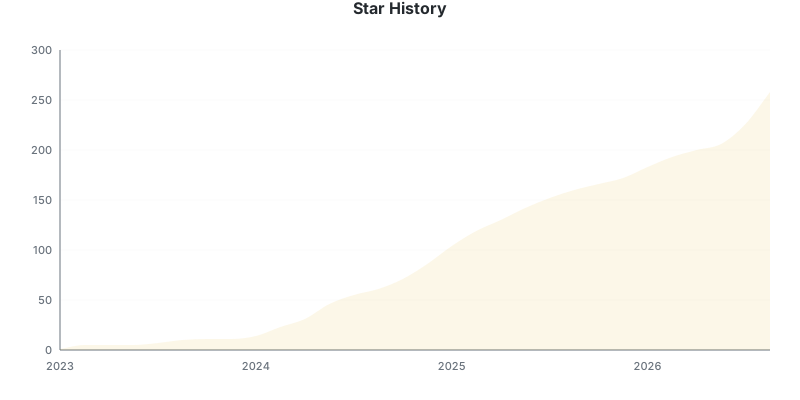


⭐ If you like this project, star it on GitHub!
Overview • Features • Supported sites • Installation • Usage • Troubleshooting

Manga Downloader is a command line tool that downloads manga chapters from MangaDex and 80+ other sites and packs them into CBZ files. The files are ready to read on your e-reader or in your favorite comic app.
Point it at a manga's index page, tell it which chapters you want, and it does the rest:
manga-downloader https://mangadex.org/title/a1c7c817-4e59-43b7-9365-09675a149a6f/one-piece 1-10This writes One Piece 0001 - Romance Dawn.cbz and nine more files to the
current folder.
- A single binary: no runtime, no dependencies and no config file. Builds are available for Linux, macOS and Windows, plus Docker images.
- 84 supported sites, from big aggregators to small scanlation groups.
- Chapter ranges such as
1,3,5-10, so you download only what's missing. - E-reader friendly output: AVIF pages are converted to JPEG automatically, so they don't show up blank on Kobo, KOReader or Calibre.
- Flexible output: one CBZ per chapter, a single bundled CBZ (
--bundle), or plain image folders (--format raw), named from a template. - Language and scanlation group filters for sites that host several versions of a chapter.
- Concurrent downloads, tunable per chapter and per page, with retries.
- JavaScript and Cloudflare-protected sites are handled by driving a local Chromium browser, which clicks "Verify you are human" checkboxes for you.
Show all 84 supported sites
- asmotoon.com (Asmodeus Scans)
- asurascans.com (Asura Scans, former asuratoon.com)
- atsu.moe (Atsumaru)
- aurorascans.com (redirects to qimanga.com)
- baozimh.com (包子漫画)
- bigsolo.org
- bluesolo.org (Blue Solo, French scantrad)
- comix.to *
- danke.moe (Danke fürs Lesen)
- deathtollscans.net
- demonicscans.org (MangaDemon / Demonic Scans)
- dragontea.ink *
- drakecomic.net (Drake Scans, former drakecomic.org)
- dynasty-scans.com (Dynasty Reader)
- elftoon.com
- en-hijala.com (Hijala Translations)
- en-thunderscans.com (Thunderscans)
- fanfox.net (Manga Fox)
- flamecomics.xyz (Flame Comics, former Flame Scans)
- fmteam.fr
- furyosociety.com
- gdscans.com (GalaxyDegenScans)
- genzupdates.com (Genz Toon)
- guya.moe (Guya, Kaguya-sama)
- hivetoons.org (HiveToons, VoidScans)
- inmanga.com
- jestful.net
- kappabeast.com *
- kaynscans.com (Kayn Scans, former kaynscan.org)
- lagoonscans.com
- leercapitulo.co *
- lhtranslation.net (LHTranslation)
- luacomic.org (LuaScans)
- madarascans.org (former madarascans.com)
- mangaball.net
- mangabats.com (former mangabat.com)
- mangadenizi.net
- mangadex.org (MangaDex)
- mangafire.to *
- mangahere.cc (MangaHere)
- mangahub.io *
- mangak.io (MangaK, former mangabuddy.com)
- mangakakalot.gg (MangaKakalot) *
- mangakatana.com
- mangalib.me (MangaLib)
- mangalivre.to (Manga Livre, former mangalivre.tv/mangalivre.net)
- mangapark.page (MangaPark, the only live host: mangapark.to and the other mirrors are dead) *
- mangapill.com
- mangaread.org
- mangasushi.org
- mangataro.org
- mangtto.com (Mangitto)
- manhuaplus.com
- manhuatop.org *
- manhuaus.com *
- mgeko.cc
- mistscans.com
- mkissa.to *
- natomanga.com (MangaNato, former manganato.com/manganelo.com) *
- projectsuki.com
- qimanga.com
- rawkuma.net
- ritharscans.com
- rokaricomics.com
- roliascan.com
- sacachispa.site
- sanascans.com (Sana Scans)
- setsuscans.com *
- silentquill.net (Armageddon Scanlation)
- stonescape.xyz
- sushiscan.net *
- taiyo.moe
- tcbonepiecechapters.com (TCB Scans, former tcbscans.com)
- team-shadowi.com
- templetoons.com (Temple Scan)
- toongod.org *
- toonily.com *
- tritinia.org (Tritinia Scans)
- utoon.us (UToon, home of reset-scans' content)
- violetscans.org
- vortexscans.org
- weebcentral.com
- witchtoons.net (WitchToons, former witchscans.com)
- writerscans.com
- zonatmo.org (TuMangaOnline, former zonatmo.com)
Note
Sites marked with * need a Chromium-based browser (Google Chrome,
Chromium, Brave or Edge). They either render with JavaScript or sit behind a
Cloudflare challenge. Manga Downloader launches the browser itself and only
shows a window when a challenge needs solving. Pass --browser-visible to
skip the headless attempt and show the window from the start.
Other sites built on the same platforms often work too, even when they aren't listed. If one doesn't, open an issue or send a pull request.
Download the archive for your system from the releases page, extract it and run the binary:
./manga-downloader --helpTo run it from any folder, move the binary to a folder in your PATH, such as
/usr/local/bin on Linux and macOS.
Windows: step-by-step setup
[!IMPORTANT] Manga Downloader is a command line tool. Double-clicking
manga-downloader.exewon't work: a window flashes and closes straight away. Run it from a terminal instead, as shown below.
-
Open PowerShell: press the Start button, type
PowerShelland press Enter. -
Paste this line and press Enter:
irm https://raw.githubusercontent.com/elboletaire/manga-downloader/master/install.ps1 | iex
-
Close the terminal and open a new one. Then run it from any folder:
manga-downloader https://mangadex.org/title/a1c7c817-4e59-43b7-9365-09675a149a6f/one-piece 1-10
The install script downloads the latest release to
%LOCALAPPDATA%\Programs\manga-downloader and adds that folder to your PATH.
It doesn't need administrator rights. Run the same line again to update, and
delete that folder to uninstall.
[!TIP] Files are saved in the folder the terminal is in. To download straight into a folder, open it in File Explorer, type
cmdin the address bar and press Enter. A terminal opens there, ready to use.
Prefer not to run a script?
Download the windows-amd64 zip from the releases page, extract it,
and copy manga-downloader.exe to C:\Windows\System32. Windows asks for
administrator permission. After that, manga-downloader works in any terminal.
[!WARNING] This works, but it isn't the best place for the program: it needs administrator rights and mixes it with Windows' own files. To update or uninstall it, you have to go back to that folder and replace or delete the file yourself.
If Windows SmartScreen shows "Windows protected your PC", the binary is only flagged because it isn't signed. Click More info → Run anyway.
macOS: allowing an unsigned binary
The binary isn't signed, so Gatekeeper blocks it the first time you run it:
- Run
./manga-downloaderonce and dismiss the warning. - Open System Settings → Privacy & Security, scroll down to Security, and click Open Anyway next to the manga-downloader message.
- Run
./manga-downloaderagain and confirm the dialog.
You only need to do this once.
docker run --rm -it -v "$PWD:/downloads" elboletaire/manga-downloader [url] [chapters]Files are written to the mounted /downloads folder. They're owned by
USER_ID/GROUP_ID, which both default to 1000. If your user has a
different ID, pass it with
-e USER_ID=$(id -u) -e GROUP_ID=$(id -g).
The default image has no browser. For sites marked with *, use the :browser
image, which ships Chromium and a virtual display:
docker run --rm -it -v "$PWD:/downloads" elboletaire/manga-downloader:browser [url] [chapters]Showing the browser window on your own display
The :browser image passes Cloudflare challenges on its own. If a challenge
needs a real person, forward the window to your Linux desktop. You may need to
run xhost +local: first:
docker run --rm -it -e DISPLAY=$DISPLAY -v /tmp/.X11-unix:/tmp/.X11-unix \
-v "$PWD:/downloads" elboletaire/manga-downloader:browser --browser-visible [url] [chapters]go install github.com/elboletaire/manga-downloader@latestTip
Binaries installed this way don't report a version number, because the version is only added to release builds.
manga-downloader [flags] [url] [chapters]urlis the manga's index page, the page that lists all its chapters. Don't use the URL of a single chapter.chaptersis a comma-separated list of numbers and ranges, such as1,3,5-10. If you leave it out, the tool asks whether to download every chapter. The answer defaults to "no".
Arguments aren't positional, so manga-downloader 1-50 [url] works too.

Some sites, such as MangaDex, list each chapter once per language. Use
--language to download only one of them:
manga-downloader --language es https://mangadex.org/title/a1c7c817-4e59-43b7-9365-09675a149a6f/one-piece 1-10Sites that host several scanlation groups' versions of the same chapter download
the group with the most chapters, and list the other groups. Use
--scanlator <name> to pick a group, or --scanlator all to download every
version. With all, the group name is added to each file name.
# all chapters in a single CBZ, one folder per chapter inside it
manga-downloader --bundle [url] 1-8

# plain image folders instead of CBZ files
manga-downloader --format raw [url] 1-8
Most e-readers can't display AVIF, so a chapter with AVIF pages looks empty on the device even though the download succeeded. AVIF pages are converted to JPEG by default. WebP renders fine in phone apps but is unreliable on e-ink, so converting it is opt-in:
manga-downloader --convert-images avif,webp [url] 1-10   # strict e-ink setup
manga-downloader --convert-images none [url] 1-10        # keep pages untouched
JPEG, PNG and GIF pages are never re-encoded. If a page fails to convert, it's kept as it was and a warning is shown, so the rest of the chapter isn't lost.
Note
The AVIF decoder is embedded as WebAssembly, so you don't need to install any
system library. It's slower on the 32-bit (386) builds, so use
--convert-images none there if speed matters.
Scanlation groups often reserve a page or two of every chapter for their own
credits or ads. --skip-pages drops them, using the same range syntax as the
chapter argument, applied to each chapter's pages:
manga-downloader --skip-pages 2 [url] 1100-1110       # just the credits page
manga-downloader --skip-pages 2,5-7 [url] 1100-1110   # several at once
Pages count from 1, and negative positions count backwards from the end of
the chapter: -1 is its last page, -3--1 the last three. They're resolved
per chapter, so -1 means each chapter's own last page however long it is:
manga-downloader --skip-pages 2,-1 [url] 1100-1110 # one at each endThe pages are dropped before they're downloaded, so they cost no time or bandwidth, and a page that's broken on the site's end can't fail the chapter around it — which is the only way to download a chapter whose page 404s.
The archive is still numbered 000, 001, … in order, with no holes left by
the skipped pages. A position the chapter doesn't have is ignored.
Tip
Both --skip-pages -1 and --skip-pages=-1 work: the value right after the
flag is taken verbatim, dash and all. Use the = form if a shell or a
wrapper script trips on the leading dash.
Use --filename-template to change file names. It takes a
Go text/template string, and the default is:
{{.Series}} {{.Number}} - {{.Title}}{{if gt .Version 1}} v{{.Version}}{{end}}
{{.Version}} is a counter that's added when two files would have the same
name.
| Flag | Short | Description | Default |
|---|---|---|---|
--output-dir |
-o |
Folder to write the downloaded files to | current folder |
--bundle |
-b |
Bundle all chapters into a single file | off |
--format |
-f |
Output format: cbz or raw |
cbz |
--filename-template |
-t |
Template for the file names | see above |
--language |
-l |
Only download the specified language | all |
--scanlator |
-s |
Only download the specified scanlation group (or all) |
most chapters |
--convert-images |
Formats to convert to JPEG: avif, webp or none |
avif |
|
--skip-pages |
Pages to exclude from every chapter (-1 is the last) |
none | |
--concurrency |
-c |
Number of chapters downloaded at once (max 5) | 5 |
--concurrency-pages |
-C |
Number of pages downloaded at once per chapter (max 10) | 10 |
--retry |
-r |
Retries per failed page (max 3, 0 disables retrying) |
1 |
--browser-visible |
Show the browser window from the start | off | |
--version |
-v |
Show version information |
Run manga-downloader help to list them in your terminal.

The newest chapter downloads empty or is missing
Many sites keep their latest chapters behind a paywall, and the page often looks normal. Try a slightly older chapter to confirm that the site works.
Old chapters are missing, or a warning says the range starts before the first chapter
Sites often delete old chapters. The tool can only download chapters that the site still lists.
A browser window pops up
This is expected for sites marked with *. The window opens when the site shows
a Cloudflare challenge. Checkboxes are clicked automatically, but some challenges
need you to click them yourself.
Pages don't show up on my e-reader
The site probably serves WebP images. Download the chapters again with
--convert-images avif,webp.
You need Go 1.19 or newer:
make install   # download dependencies
make build     # test and build ./manga-downloader