
Challenger Deep Theme for VIM
To enable this color scheme, set it in your vimrc:
colorscheme challenger_deep
Add this to your .vimrc to enable true colors:
if has('nvim') || has('termguicolors')
  set termguicolors
endif
Plug 'challenger-deep-theme/vim', { 'as': 'challenger-deep' }
Plugin 'challenger-deep-theme/vim', {'name': 'challenger-deep-theme'}
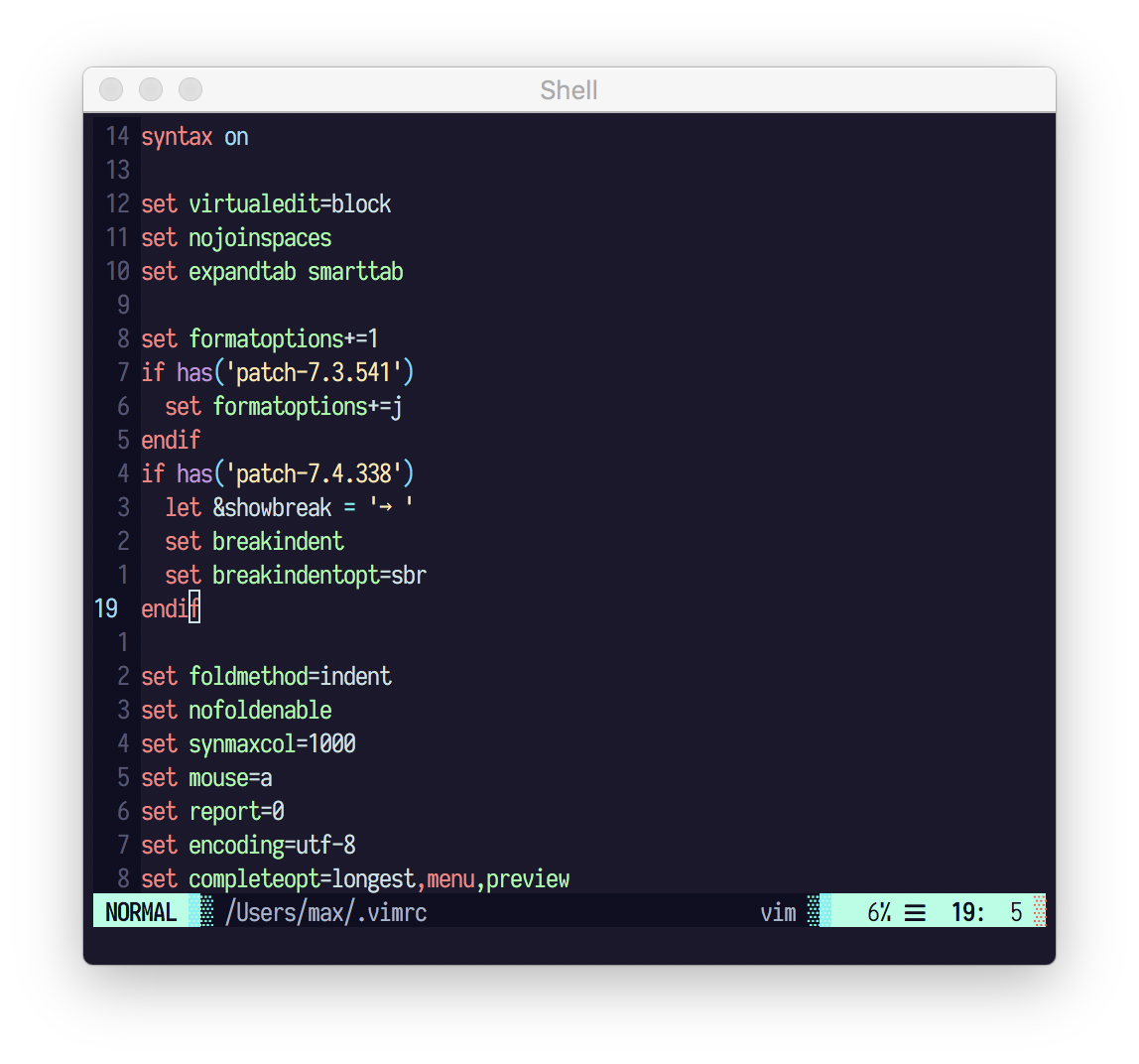
- g:challenger_deep_termcolors This options sets the terminal colors to 16 or 256 Colors. Default value is 256. If it is set to 16 ,this colorscheme will attempt to use the standard 16 colors of your terminal emulator and background color will be the default background color of your terminal emulator. For the best colors in terminal, its recommended to set set your terminalcolors to Challenger Deep Terminal Colors and use 16 colors.
! ~/.Xresource
*.foreground:   #cbe3e7
*.background:   #1e1c31
*.cursorColor:  #fbfcfc

! black
*.color0:       #565575
*.color8:       #100e23

! red
*.color1:       #ff8080
*.color9:       #ff5458

! green
*.color2:       #95ffa4
*.color10:      #62d196

! yellow
*.color3:       #ffe9aa
*.color11:      #ffb378

! blue
*.color4:       #91ddff
*.color12:      #65b2ff

! magenta
*.color5:       #c991e1
*.color13:      #906cff

! cyan
*.color6:       #aaffe4
*.color14:      #63f2f1

! white
*.color7:       #cbe3e7
*.color15:      #a6b3cc

Challenger Deep supports lightline.vim. To enable the colorscheme,
add one of the following lines to your .vimrc:
let g:lightline = { 'colorscheme': 'challenger_deep'}