
Lumtera – Accessibility Checker – WCAG, ADA, EAA and Section 508 Compliance
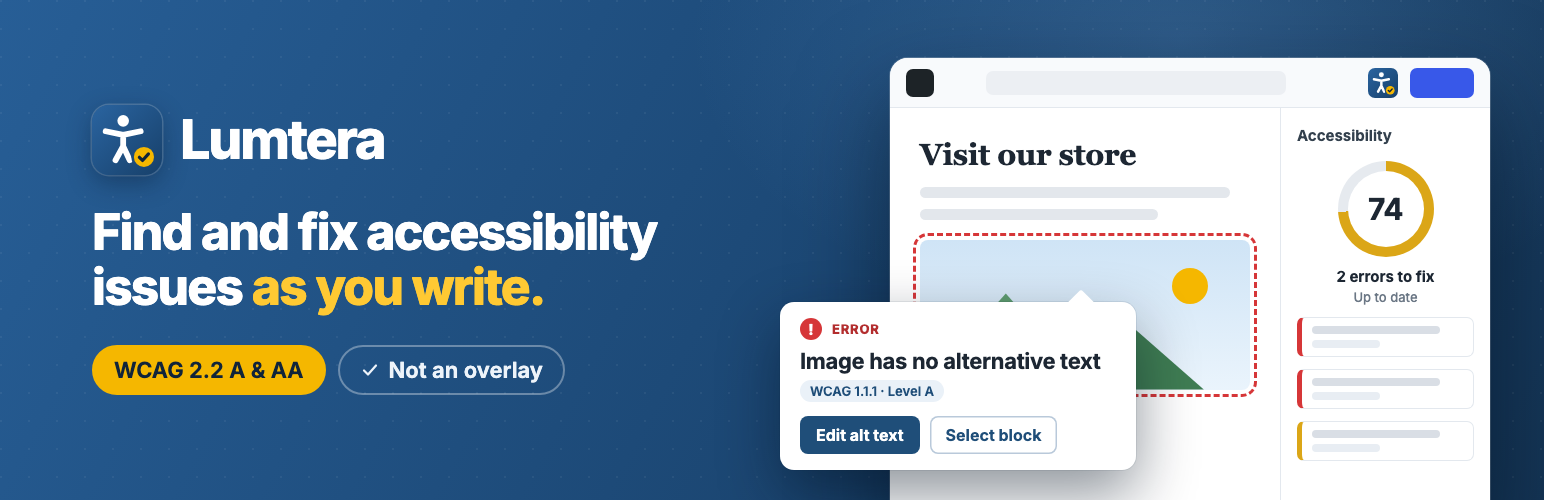
Lumtera is an accessibility checker for WordPress. It checks your posts, pages and products against WCAG 2.2 while you write. It also tests the live page the way keyboard and screen reader users meet it. Then it helps you fix each problem in the content itself. You see every change before it is saved, and you can undo it.
It is built for the people who publish: site owners, editors, online shops, agencies and public bodies working towards the ADA, the European Accessibility Act (EAA), Section 508 or EN 301 549.
No account. No overlay. Every check is free.
Watch Lumtera find and fix issues, in just over a minute:
Documentation · Quick start · Free vs Pro · Support forum
The problem
Most accessibility problems start in everyday content: an image with no alt text, a “click here” link, a heading picked for its size, pale text on a colored button. A toolbar added on top doesn’t change that content; fixing the content and the theme does. Lumtera shows you what to fix first, and says plainly what a person still has to check.
- The European Accessibility Act (EAA) has applied since 28 June 2025 to many products and services sold in the EU, online shops included.
- ADA Title II: US state and local governments must meet WCAG 2.1 AA by 26 April 2027 if they serve 50,000 people or more, and by 26 April 2028 if they are smaller or a special district.
- ADA lawsuits keep rising: 3,117 website accessibility lawsuits were filed in US federal courts in 2025, up 27% on 2024 (Seyfarth Shaw).
What makes Lumtera different
- It checks where you work. In the block editor (Gutenberg) as you type, in its own Elementor panel, in the classic editor, and on the live page with your theme.
- It tests what a scan of the code can’t. Review mode walks the page from the keyboard and opens menus, dialogs, tabs and accordions to test them.
- It shows what a screen reader gets. You see the headings, landmarks, links and form fields a screen reader lists, and the page read in order.
- You approve every fix. Each change is shown before and after. It is saved as a revision, checked again, and can be undone.
- Fix once, at the source. An issue in a header, footer, menu, template part or synced pattern is fixed there, once.
- It is honest about what it covers. When a machine can’t be sure, the issue says “Needs review”. A coverage meter shows which WCAG criteria the checks look at.
Find issues
- 69 checks mapped to WCAG 2.2 in the block editor, the classic editor, Elementor and other page builders: images and alt text, links and buttons, headings, forms, tables, media, contrast, ARIA, language and more.
- 33 whole-page checks in review mode, theme included: contrast (gradients, text over images, focus indicators), landmarks, skip link, heading outline, target size, reflow, zoom, text spacing and reading order.
- Keyboard walk: every Tab stop is numbered, with checks for visible focus, focus hidden under sticky headers, focus order and possible keyboard traps.
- Color blindness and low vision previews in review mode.
- Check all content in one click. The Content report lists every post and page worst first, with filters by issue, severity and type, CSV export and a column in your post lists.
- Site parts: menus, widget areas, template parts, synced patterns and navigation are checked too, and each issue shows where it comes from.
- Clear explanations: “Why is this flagged?” explains every finding in plain words.
- Guided checklists for what only a person can judge, recording who checked what and when.
Fix them
- One-click fixes in the block editor for common problems, and guided fixes for alt text and contrast, with passing colors from your theme palette.
- Fix without opening the post from the Content report, always with a preview and undo.
- Alt text manager: describe an image once in the Media Library, and Lumtera offers that text to every post that shows the image without it.
- Optional site fixes for common theme problems: skip link, focus ring, pinch-zoom, link underlines, form labels, and “opens in a new tab” and file details on links. Each one is off until you turn it on.
- Optional AI drafts of alt text, link text, headings and a plain-language summary, through the AI provider you connect to WordPress. A person reviews every draft.
Show your work
- Coverage meter: with review mode, Lumtera’s automated checks cover 37 of 55 WCAG 2.2 A/AA criteria (fully or in part). It sits next to the score and is never merged into it.
- Accessibility statement generator with templates for the W3C model, the EAA, UK public sector, ADA Title II and AODA. Known problems are filled in from your results.
- Accessibility feedback form (a block and a shortcode) with an inbox, reference numbers, replies and a retention period you choose.
- ADA Title II exception tags: record which exception you believe applies, without hiding the item from any total or report.
Stay on top
- Checks on every save, and a check before you publish in the block editor.
- Weekly email summary: your score, new errors and what you fixed this week, sent by your own site.
- Weekly home page check, off by default and one click to turn on, on your own server.
- Your rules: set any check to Error, Needs review, Tip or Off, and choose which roles see reports, dismiss issues and use review mode.
How accurate it is
In our own test against the W3C’s ACT rules test cases, whose right answers are known, Lumtera found 98% of known failures on the 21 ACT rules its checks cover, at any severity (130 of 132: 95 as errors and 35 for review), with 4 false alarms in 222 clean examples. In a second test of our own, on 529 pages that meet WCAG 2.2 AA or nearly so, review mode raised no false errors after our triage; the editor’s check of raw content still raised 8. These are our tests, not an independent audit. Read the method and full results, including the rules Lumtera doesn’t check.
Works with
- Page builders and block libraries: Beaver Builder, Divi, Bricks, WPBakery, Spectra, Kadence Blocks, GenerateBlocks and more (full list).
- WooCommerce: product descriptions are checked, and review mode checks product, cart and checkout pages as rendered.
- Advanced Custom Fields, Polylang, WPML and TranslatePress.
- Developers: WP-CLI with exit codes, baselines, SARIF and JUnit for CI, a REST API, hooks for your own checks, and WordPress Abilities for AI assistants.
- Multisite, with each site choosing whether deleting the plugin keeps or removes its data.
Our promises
- No account.
- No overlay: nothing is added for visitors unless you add it.
- Nothing leaves your site unless you turn on your own AI provider or the Akismet spam check.
- No tracking and no usage data.
- Every fix is shown before it is saved, and can be undone.
- No nags: no pop-ups or upgrade notices; Pro tips are one line and can be dismissed.
- Every check, and fixing issues one at a time, stays free.
A score of 100 means “no automated issues found”, never “compliant”.
Free vs Pro
Free, on as many sites as you like: every check, review mode, the keyboard walk and screen reader preview, fixes one at a time with undo, fix at the source, the Content report with CSV export, the alt text manager, site fixes, AI drafts, guided checklists, the statement generator, the feedback form, the weekly email and WP-CLI. Nothing has moved from free to Pro.
Lumtera Pro is an optional add-on, sold on the MantraBrain website, for when you need to check many pages on a schedule, keep a record of the work, and report to others.
See what Lumtera Pro adds, in just over a minute:
Check at scale
- Page checks of many pages at desktop and phone width, and scheduled page checks, daily or weekly.
- Signed-in checks as a test user, such as a shop customer at checkout.
- Form tests that submit required fields empty and check the error messages, with safeguards so no email, entry or order is created.
- Hover and focus contrast, and a carousel check.
- PDF checks for the Media Library.
- Consistency across pages: navigation and repeated parts in the same order, with the same names.
- Test sessions for manual testing with assistive technology, signed off.
- Compare scans: what is new, fixed or still there, with the likely cause.
- Ignore rules that apply everywhere.
Fix at scale
- Fixes queue: propose the same fix on many pages, approve each change, then apply and undo in the background.
- Fix at the source in bulk: queue every issue in a header, footer, pattern or menu.
- Fix tracking that closes a task when a re-scan confirms the fix, with issue trackers in GitHub, GitLab, Jira and Linear.
Prove the work
- Tamper-evident evidence log of scans, tests and fixes, with an evidence pack to print or export.
- Accessibility Conformance Report (VPAT 2.5) on every plan.
- An activity log of who fixed, dismissed or changed what, and when.
- Response targets and burden records for accessibility feedback.
Stay informed
- Email and Slack alerts when a publish adds errors, a weekly digest and score history.
- Webhooks for Slack, Microsoft Teams or your own tools.
Client work
- Branded client reports, with PDF.
- White-label reports without the Lumtera credit.
- Client emails and share links that expire and can be revoked.
- Client portfolio: the sites you look after in one place, with trends and the sites that got worse first.
- Multisite network overview, with one license for the whole network.
See plans and pricing · Compare Free and Pro · Pro documentation
External services
Lumtera does not contact any external service by default and sends no usage data. The services below are used only after a site administrator turns them on.
AI provider you connect (optional)
If an administrator turns on any AI suggestion under Lumtera → Settings → AI suggestions, Lumtera uses the WordPress AI Client and the AI provider connected under Settings → Connectors (for example OpenAI, Anthropic, Google, or a local model server). Lumtera stores no API keys and runs no servers of its own.
What is sent, and only when a user clicks a button for that feature (each feature is off until an administrator turns it on):
- “Suggest alt text” (for one image, or each image selected on the Alt text screen), and “Draft with AI” for an alt text fix: the image file, its file name and caption, and — from a post that uses the image and that the user can read — the post title, the nearest heading, the nearby text and whether the image is a link.
- “Suggest link text” (block editor), and “Draft with AI” for a link text fix: the link text, where the link points as site and page path only (no query string, fragment, email address or phone number), the sentence and paragraph around the link, the post title, and the title of the linked page when it is a public page on the same site.
- “Suggest heading” and “Suggest subheadings” (block editor), and “Draft with AI” for a heading fix: the post title and the bold line with the text after it and the heading before it; or, for subheadings, the text of the post’s paragraphs, lists and quotes.
- “Draft a plain-language summary” (block editor, when content reads above the target grade): the post title and the visible text of the post as it is in the editor, up to about 3,000 words.
These requests can only be made by people who can edit the post. Each click is one request to your provider, which may charge for it. Nothing is sent for visitors or in the background.
The provider’s own terms and privacy policy apply, for example:
- OpenAI: terms, privacy policy
- Anthropic: terms, privacy policy
- Google Gemini API: terms, privacy policy
AI suggestions are drafts. They are never applied without a person’s approval and do not make a site compliant on their own.
Akismet spam check for the feedback form (optional)
If an administrator turns on “Check messages with Akismet” in the feedback settings, each message sent through Lumtera’s accessibility feedback form is checked for spam by Akismet, through the Akismet plugin. What is sent: the message, the sender’s IP address and browser, and the name and email address if the sender gave them. It is off by default and can only be turned on when the Akismet plugin is active and connected. Akismet’s terms and privacy policy apply.
Links you choose to follow
“Report a false positive”, the Docs buttons and the links to Lumtera Pro are ordinary links. They open the WordPress.org support forum, the documentation or the MantraBrain website in your browser; links to the website carry tags naming the Lumtera screen they were on. A site developer can point “Report a false positive” elsewhere with a filter. Nothing is sent from your site; a false-positive report is only posted if you post it yourself.
Requests to your own site
To check a page, WP-CLI’s wp lumtera check --page, the weekly home page check and the site fixes’ theme check fetch pages from your own site. They refuse other addresses.
Services Lumtera recognises but never contacts
The plugin’s code contains the web addresses of some well-known services so its checks can give accurate advice about content already on your site. It compares these addresses with your own content and page HTML; it never loads, calls or sends anything to them:
- Video and audio hosts (for example YouTube, Vimeo, Wistia, Spotify, SoundCloud and podcast hosts), to check for captions and transcripts.
- CAPTCHA services (reCAPTCHA, hCaptcha), maps (Google Maps, OpenStreetMap) and social or booking embeds, to name embedded frames.
- Chat widgets (Tawk.to, Intercom, Crisp, Drift, HubSpot, Tidio, LiveChat, Zendesk, Zoho SalesIQ), so a page with one isn’t reported as having no way to get help.