Remote Debugging Library Functions #111

Description

From Waleed Abdulla (@waleedka) on April 29, 2017 23:6
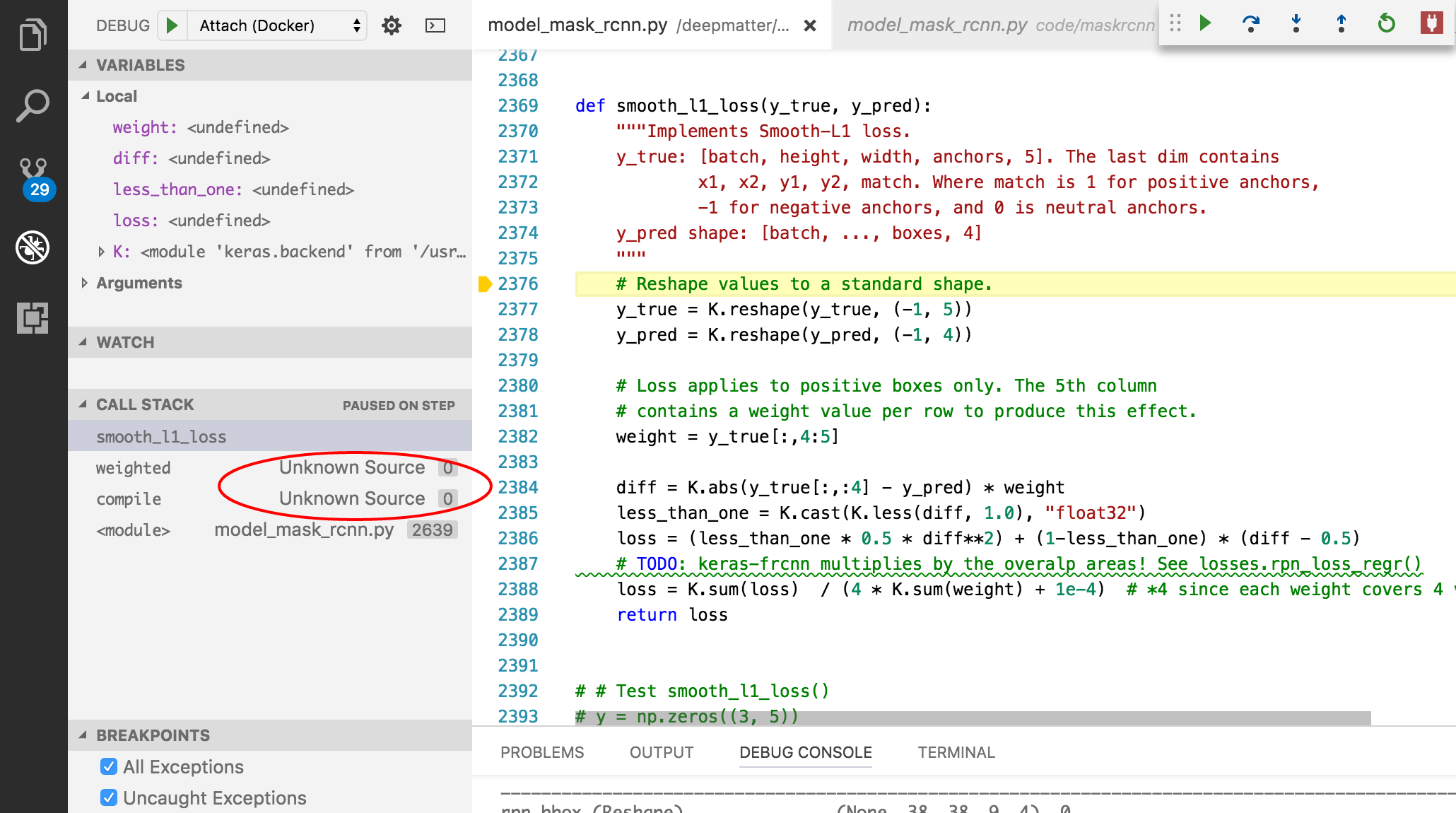
I'm using remote debugging (with ptvsd) to debug my Python 3.5 code running in a Docker container. For the most part it's working great, I can put breakpoints and step through the code. But I can't seem to step into library functions. The "step into" command works when stepping into a function defined in my source code file, but not on functions defined in a library I've imported. Further, if the library function calls into my code, the call stack shows "Unknown Source" (see image).
I tried to add the "DebugStdLib" as explained here but vscode complained that "debugOptions" is not an allowed property. I'm guessing it doesn't work with remote type of debugging?
Environment data
VS Code version: 1.11.2
Python Extension version: 0.6.3
Python Version: 3.5.2
OS and version: OSX 10.11.6
OS running in the Docker container: Ubuntu 16.04
launch.json
        {
            "name": "Attach (Docker)",
            "type": "python",
            "request": "attach",
            // localRoot == remoteRoot. Folder in the docker container mapped to folder in host OS
            "localRoot": "${workspaceRoot}",
            "remoteRoot": "${workspaceRoot}",
            "port": 8888,
            "secret": "my_secret",
            "host": "localhost",
            //      vscode didn't like me adding this property. Says property is not allowed
            //"debugOptions": [
            //  "DebugStdLib"
            //]
        }
Any tips to get this working? Or is this not supported in vscode?
Copied from original issue: DonJayamanne/pythonVSCode#924
Activity
DonJayamanne commentedon Nov 13, 2017
Yes, unfortunately debugging library functions won't work at this stage. Will look into this.
brettcannon commentedon Apr 5, 2018
This should be doable in the new debugger, but we should double-check.
DonJayamanne commentedon Apr 6, 2018
Closing this in favor of #1322