Repository navigation
Customize controls #305
Description
Activity
@neoone256 the controls are added in the addControls function within buildplayer.js. They weren't really built with customizability in mind though, so changing the order may result in unexpected complications. Also, many of the buttons are added conditionally depending on which resources are available (e.g., captions, descriptions, chapters, transcript, sign language) so the player needs to be flexible enough to accommodate those buttons conditionally (unless you know for sure that you are always going to have/not have some of these resources).
The number and order of buttons in Able Player is a common complaint, but when we've asked users in usability tests which buttons they would eliminate or hide behind a "More" button, there has been very little agreement across users. I'm considering a couple of options, and would be curious to know folks' thoughts:
- Add a "Buttons" dialog, accessible via the Preferences menu, that would allow users to enable/disable all buttons and controls. Since users all seem to want something different in a media player, this would give them the ability to customize their experiencer as they see fit.
- Add similar customizability for authors/developers that would enable them to define in the HTML source which controls get added and in what order. However, a minimalist player would need to include an option for users to switch to the full version if some of their needed features are missing. And if they choose to do that, their preference would be saved in a cookie so they would have the full version on subsequent visits. I'm not sure if this would work, since the full player might not fit if you design your website around a minimalist version.
@lardconcepts the feedback you quoted is less about the layout of the controls; more about their performance (the previous and next buttons shouldn't lose focus after the user clicks on them). That's a bug, which I've created a new issue for: #387
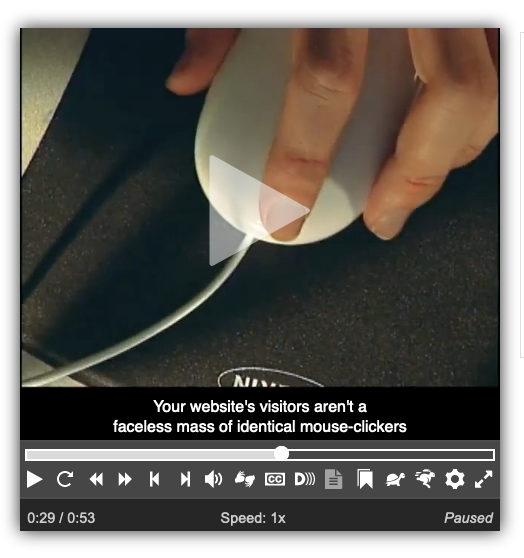
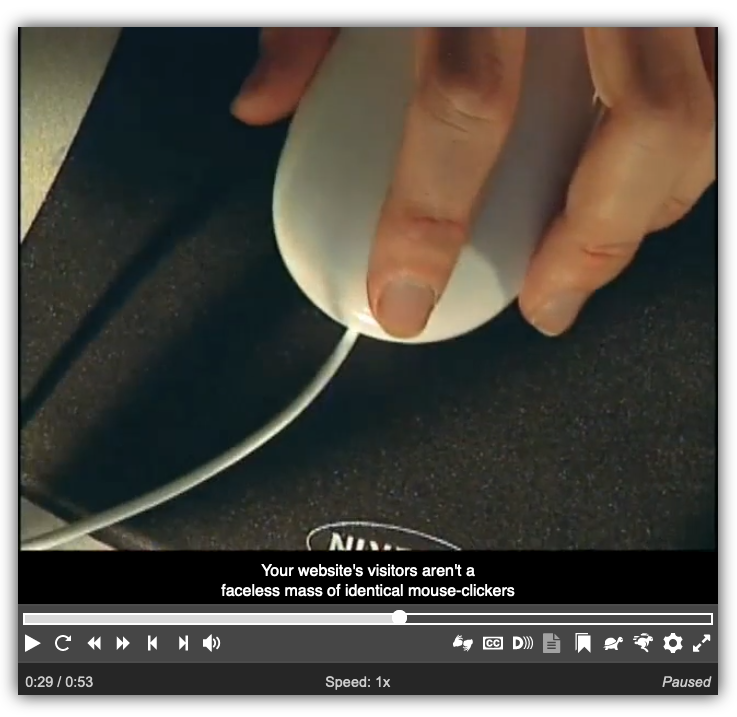
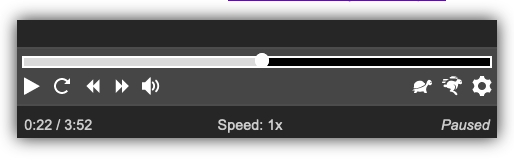
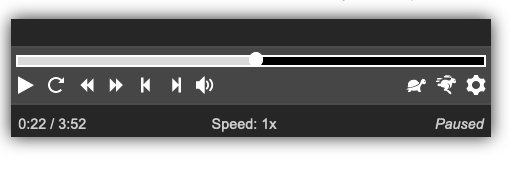
That said, I'm playing around with some alternative layouts. What do you (and what do others?) think of moving the seekbar to the top of the control bar so it spans the full width of the player, then moving all buttons onto a single line, rather than two lines? Buttons that are used for player control (play/pause, all navigation buttons, volume) would be on the left; and accessibility-related buttons (plus full screen) would be on the right. See below for screen shots.
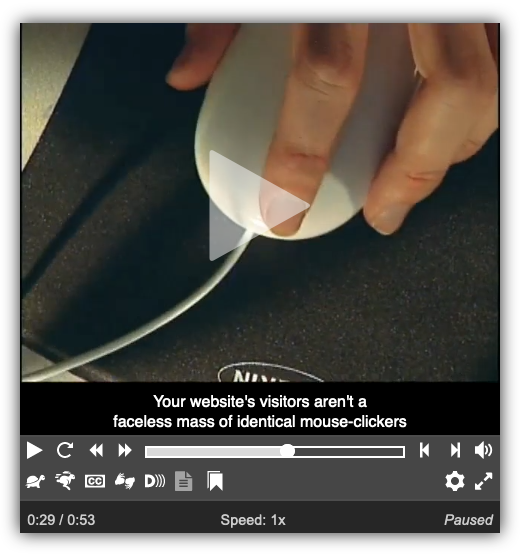
Current design of video player at 480 pixels, fully loaded with all possible buttons
Proposed design of video player at 480 pixels, fully loaded with all possible buttons
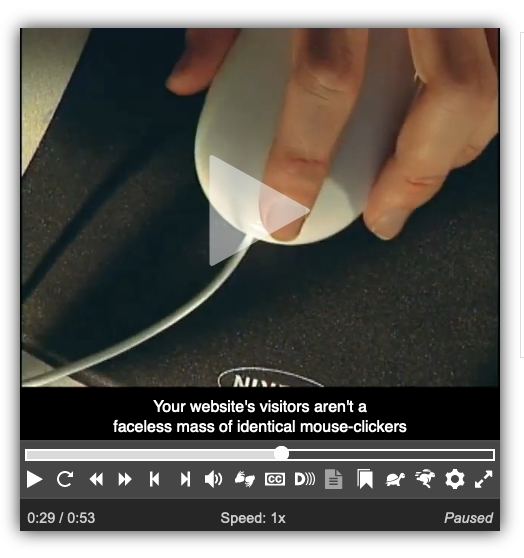
The above proposed design is more crowded than the current design, but that's partly the result of having a fully loaded player with a small width. This combination is highly unlikely. We encourage folks to include all possible accessibility features, but if they do so, they should provide the video in a wider container.Proposed design of video player at 700 pixels, fully loaded with all possible buttons
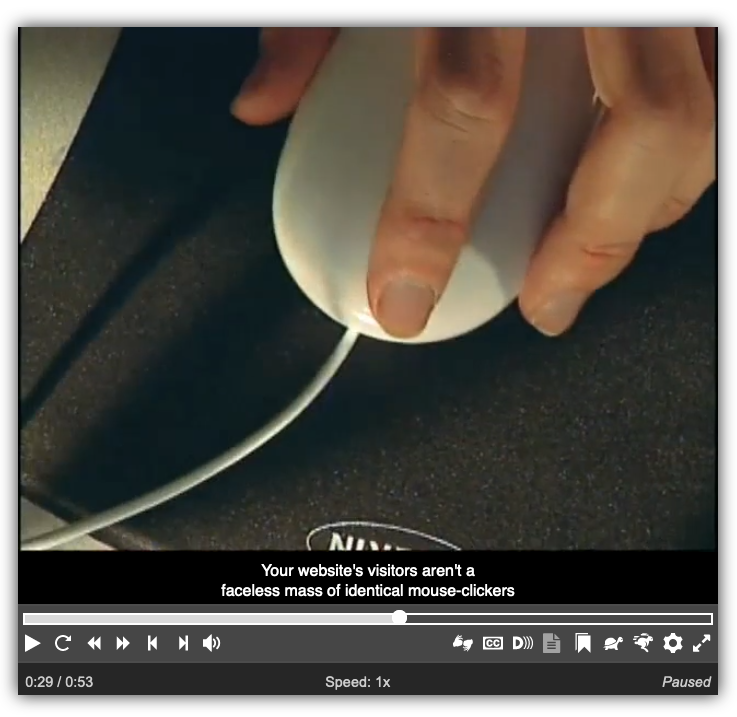
This player is the same as the previous one, but 700 pixels wide, so the buttons aren't so crowded.Proposed design of video player at 480 pixels, featuring the most common buttons
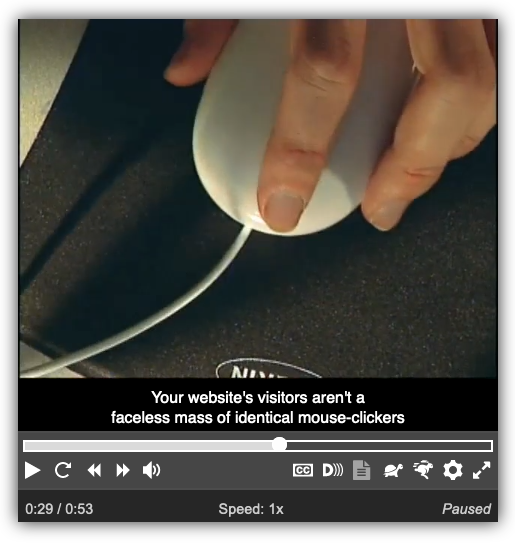
This player is back to 480 pixels, but includes only the most common buttons (there are no playlist-associated buttons Previous and Next, nor sign language or chapters buttons).Proposed design of audio player at 480 pixels, with no playlist
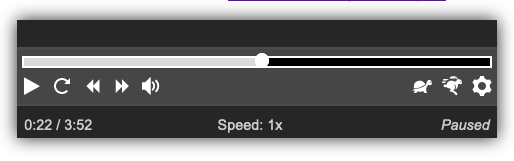
Proposed design of audio player at 480 pixels, with a playlist
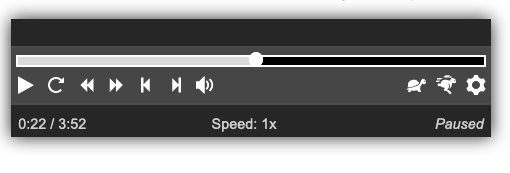
With playlists, the player would have Previous and Next buttons.Note that the proposed new design is not intended to replace the features explained in my above comment on November 4, 2018.
@lardconcepts the slider is a standard feature on media players, and gives users more fine-grained control than is possible with Rewind and Forward buttons. That said, many users find the buttons much easier to operate than the slider, so we offer both.
Anyway, the new button arrangement has been added as of 681bb57
To use it, add
data-skin="2020"to the<audio>or<video>tag.



Hi.
I would like to know where is the js, comes the order in which the controls are loaded. I would like to order them more like the youtube controls (seekbar on top, play/pause-status-cc-window-expand on a second row, and so on...)
Is this possible?
Thank you so much for AblePlayer, it is very useful.