Mixamo.com is one of the biggest source for free (almost) characters animations. Unfortunately its root motion support works really differently from what Unreal Engine 4 expects.
Fixing it is a pretty heavy (and manual) task: you need to add a new bone to the skeleton, fix bone influences and update animation curves for the new bone. You can dot it from Blender, Maya or whichever tool is able to modify fbx files. (and i am pretty sure there is a UE4 plugin somewhere to do it)
The following tutorial shows how you can accomplish the same task with a simple python script.
Once our mixamo assets are imported we need to do the following steps:
-
Add a new bone to the skeleton that will be the root of the whole tree (the bone will be called 'root')
-
Modify the SkeletalMesh bone influences as indexes will be shifted after the adding of a new bone
-
Split the 'Hips' related animation curve in two other curves, one containing the root motion (translations, relative to local axis origin) that will be mapped to the 'root' track, and the other mapped to the 'Hips' track that will contain only rotations.
To avoid damages, we will generate a copy of each asset, so you will be able to always use the original ones.
Create a folder, and import a bunch of root-motion based animations from mixamo.
In this example i have choosen the vampire as the mesh and the run, climbing and hurricane kick animations

if you open the 'run' animation and enable root motion you will end with this weird pose:
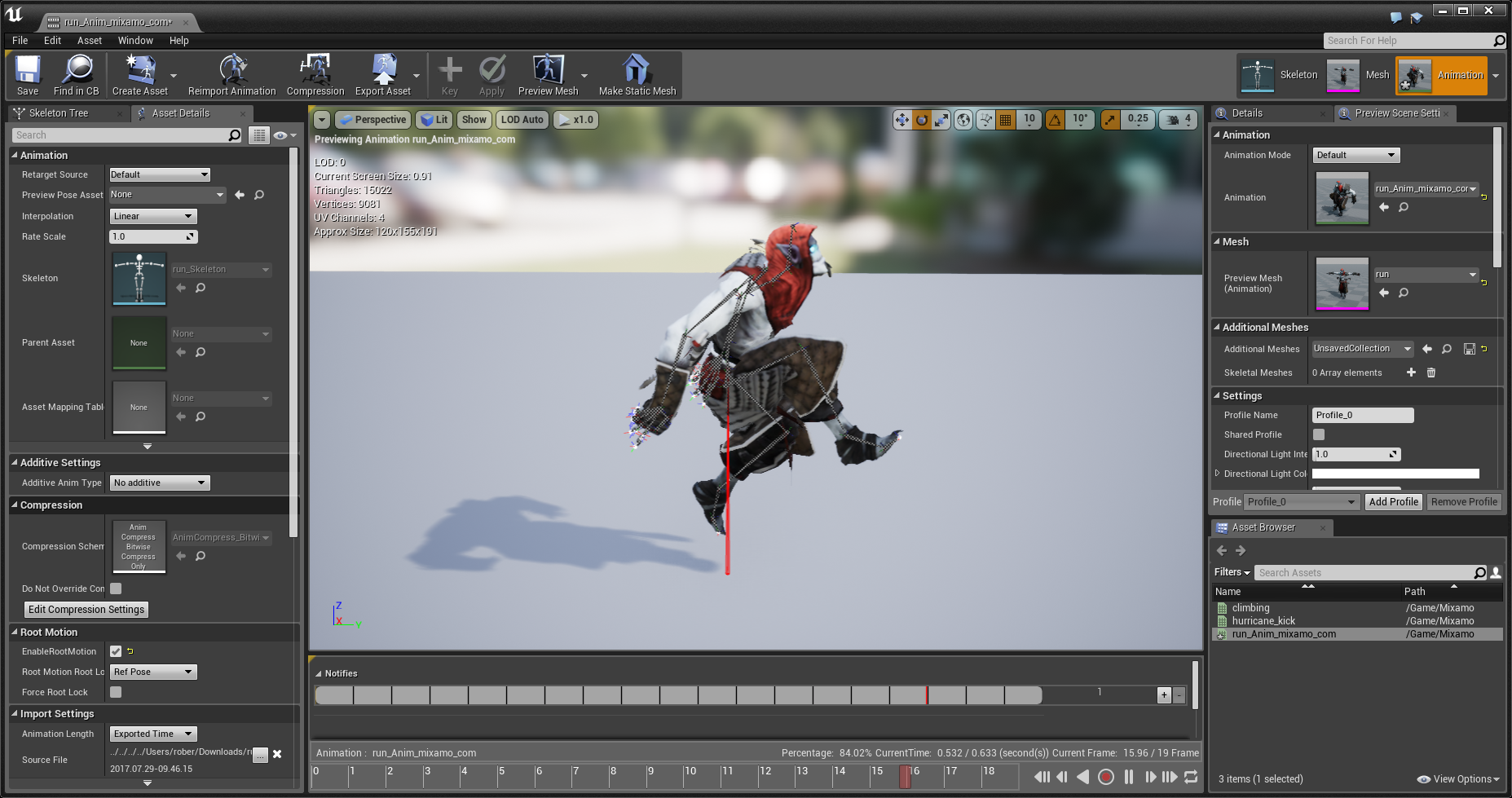
The reason is in how the character is rigged:

as you can see the root of the skeleton tree is the 'Hips' joint/bone. Animations use this bone for both translations and rotations, breaking the way UE4 works. Unreal Engine expects the root of the skeleton to be at the local origin and all of the bones/joints weighted to vertices come below it.
So our first ste will be building a new skeleton with this specific configuration.