开心分享:Theme Station 现在支持 v2.0.9 主题设计啦! / Excited to share: Theme Station now supports v2.0.9 theme design! #20484
Unanswered
keltzeleo
asked this question in
UI & UX | 界面交互

Replies: 0 comments
Sign up for free
to join this conversation on GitHub.
Already have an account?
Sign in to comment

Uh oh!
There was an error while loading. Please reload this page.
Uh oh!
There was an error while loading. Please reload this page.
大家好呀!想开心地分享一个给 Cherry Studio 做的小工具:Theme Station——一个所见即所得的可视化换肤编辑器。整个界面就是一个"活的" Cherry Studio 预览,点哪个元素(聊天气泡、代码块、表格、侧边栏……)就能直接在那弹出调色器,改完立刻看到效果,导出的 CSS 跟预览里看到的一模一样。
最近终于把 v2.0.9 的主题支持也做出来了,跟 v1.9.12 一样是所见即所得,一个按钮就能切换导出格式,很开心能跟上 Cherry Studio 自己的更新节奏!
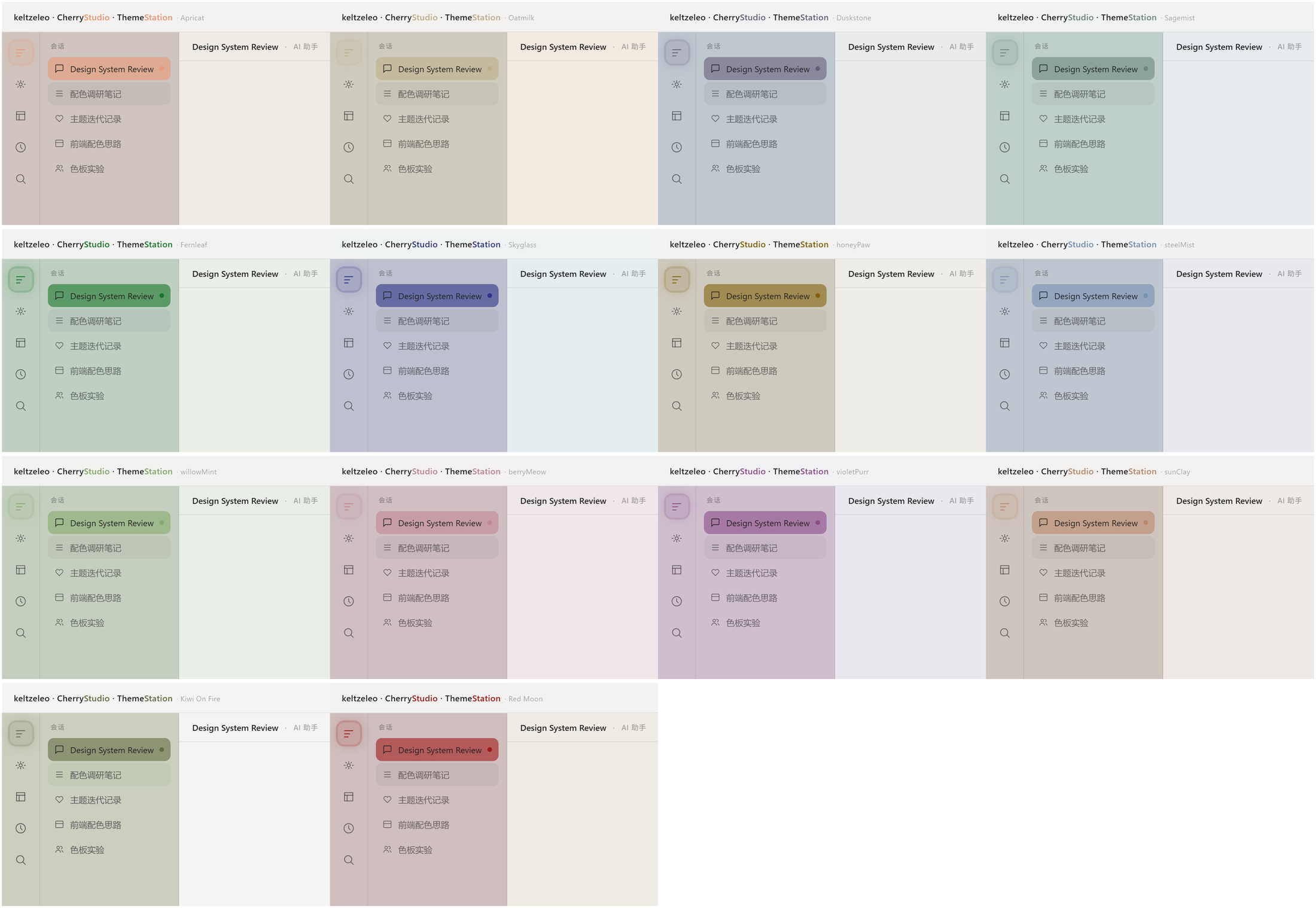
14 个配色现成可用,深色浅色都认真调过——浅色模式特意重新设计过,每个预设的侧边栏都有自己站得住的颜色,而不是一片苍白。
MIT 开源免费,欢迎试玩:
https://github.com/keltzeleo/CherryStudio-ThemeMaker
浅色模式一览(14 个预设):
Hey everyone! Excited to share a little tool I've been building for Cherry Studio: Theme Station, a WYSIWYG visual theme editor. The whole window is a live Cherry Studio-style preview — click any element (chat bubble, code block, table, sidebar...) and a color editor pops up right there, with the exported CSS matching exactly what you see.
Just finished adding v2.0.9 theme support alongside v1.9.12 — same WYSIWYG guarantee, one toggle to switch export format. Really happy to keep up with Cherry Studio's own pace of updates!
14 ready-made presets, both dark and light carefully designed — light mode got a real redesign pass so every preset's sidebar has its own confident color instead of fading into white.
MIT licensed and free, would love for you to try it:
https://github.com/keltzeleo/CherryStudio-ThemeMaker
All reactions