peli
1
Update: Use the Live → Streamer category to post comments!
Hello everyone,
After month of streaming on our mixer channel, we’ve learned quite a few tips and tricks about OBS, scenes, transitions, and other awesome streaming tech. To make everyone benefit from it, we’ve remixed our favorite features into a new tool, Streamer, that simplifies the production of coding videos.
Streamer is in beta phase and we’d love to hear your feedback! It is already used in the micro:bit and Arcade beginner streams on our https://mixer.com/makecode channel.
13 Likes
Oh the Streamer is a good mix of a lot of things. Thanks to Makecode team for thinking about it.
Absolutely love the multi-camera/browser/app window integration in a window
I would also like some improvements:
- undo option in paint mode - for whiteboard style explanations
- please make the arrow draw backwards - it seems counterintutive and anti-climactic when you want to surprise the user with the arrow. (TaDaa style)
- Would love to have option to make hardware camera to be bigger than face cam. (I often have some HW mods that i want my students to carefully follow.
- Can we have the last chat message show up in the button bar or atleast a notification about new msgs flashing for few seconds (with option to disable it - may distract but the point of streaming is to connect with audience)
- Not a big deal but the settings close button could be a bit more prominent.
These are just my petpeeves otherwise I still love the Streamer!!!
Thanks again.
MINTGenie
1 Like
Thanks for the response.
4. for chat notification, may be using the desktop notification is better (unless there is a way for you to integrate the desktop notification into streamer view - just saying :wink :wink )
5. clicking on the settings is cool… did not know.
1 Like
I am a noob to streaming… have to still figure out available options in OBS…
1 Like
I used it today to film some tutorials for my students. Really enjoyed using it. All very intuitive.
I noticed a bug with the simulator not updating to new blocks placed as often as it usually does. This lead to some situations where I went to demo what a block did only for it to not work. Even pressing reset on the simulator wouldn’t update to newly added blocks. Dragging and dropping stuff until I saw the simulator update worked.
2 Likes
@SPerkins25 yeah, that’s a bug. we’re looking into it!
Terrific idea. This will make causal streaming or making videos much easer. Having used it to plan my mixer show for tomorrow, I wanted the following:
- Arcade Beta as Editor option
- In the counter background, allow editor to be in background to enable teaser for next show
peli
12
@WeCodeMakeCode go to settings and you’ll find an option under “Countdown” to show the editor as a background. Tell me what you thing.
Thanks. I like it, but not so sure about the blurred editor image.
Also, I wish it would automatically disappear the countdown when it reaches zero.
I am happy with beta as it is giving me fewer problems than the released version.
I don’t think I need full screen game.
When I turn off the face camera in settings, it still displays the box with black in it.
This thing is really fun.
peli
15
It currently always displays the face camera. Is it the document cam showing black?
I added the blur to prevent stealing too much focus but I can make it optional.
1 Like
peli
16
Added a checkbox to turn on/off blurring.
1 Like
jazzy
17
Hmm all I see is a browser window with three empty frames when I go to https://makecode.com/streamer. Am I missing something fundamental here? Thanks.
1 Like
peli
18
What browser are using? Looks like it crashed for you.
1 Like
peli
19
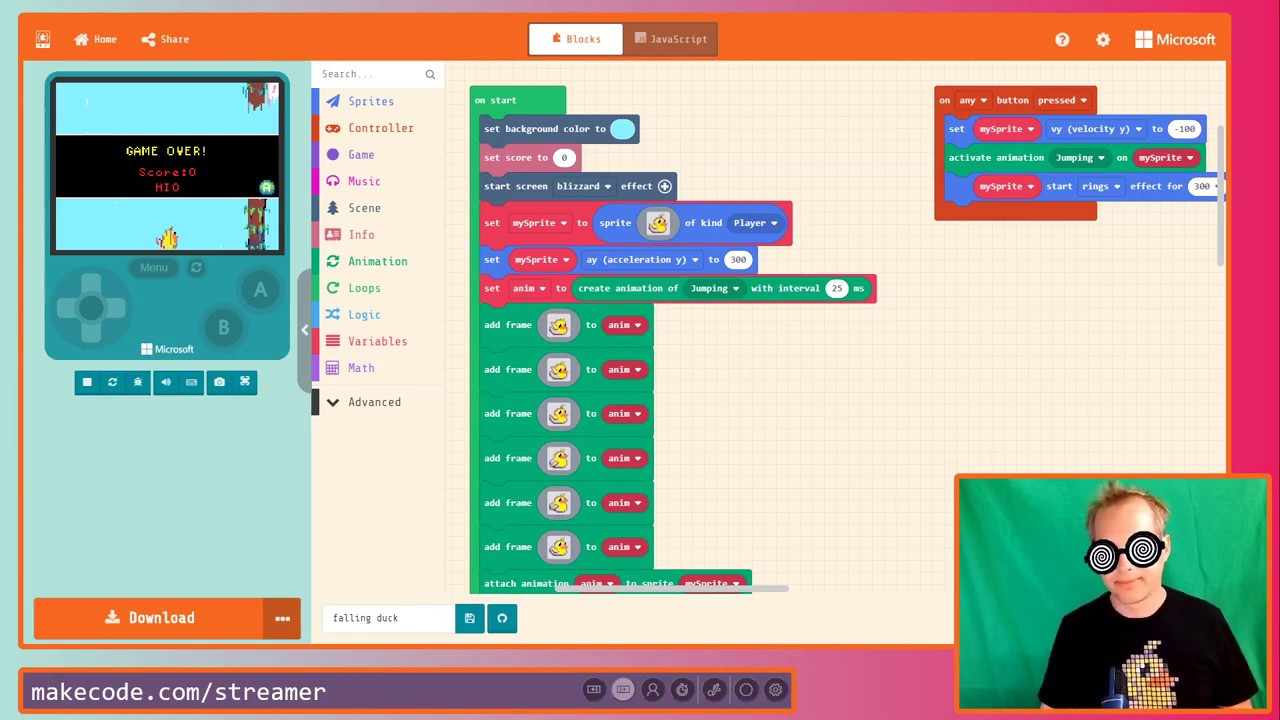
It should look like this:
Yeah that was my first experience as well. Using Chrome. I think I just needed to allow access to my webcam and refresh.